Create only when the sender is ready
The 30-minute clock starts when you create the inbox, not when the first callback arrives. The management key lives only in this tab, so keep it open while you test; reloading loses access to earlier records.
HTTP & Request Debugging
Create an inbox, send a test callback to its URL and inspect what actually arrived.
Receive URL
No requests captured yet.
Send a test request from your webhook provider or HTTP client. The URL accepts writes; this tab alone holds the key for reading events.
No requests captured yet.
Choose an event to inspect its headers and body.
Requests reach HeyUtils servers and are held for 30 minutes, then deleted. Sensitive header values are redacted before storage; paths, query values and bodies are not. Send test data only.
Create an inbox to get a receive URL.
When a payment sandbox says it sent an event but your handler saw nothing, a webhook tester gives you an independent receive point. Put the temporary webhook URL into the sender's test configuration, then compare the captured method, path, query, headers and body with your expectation.
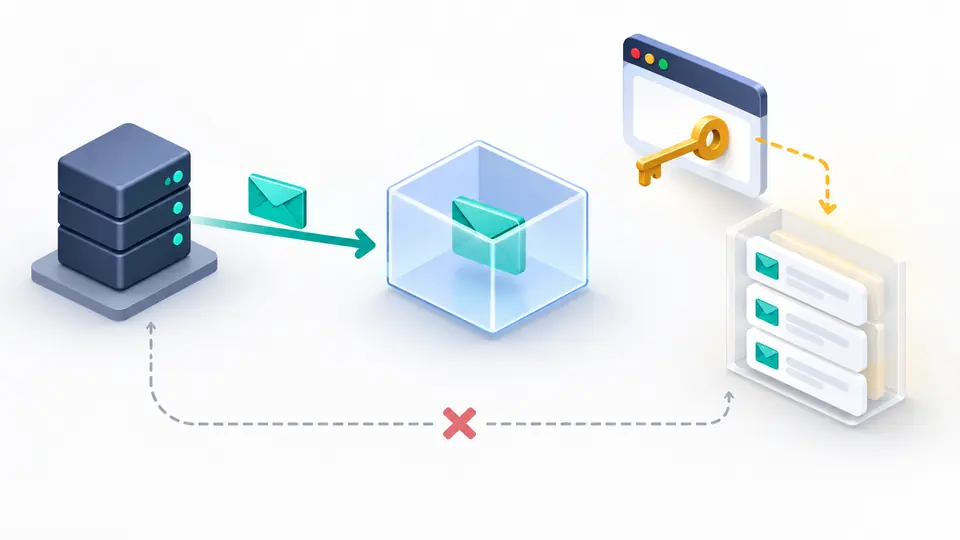
This request bin is a short-lived webhook catcher, not a production endpoint. The public URL accepts requests; a separate management key, held only in this browser tab, unlocks the event list. You can inspect webhook requests without handing the sender your own application server.
See the real callback while keeping read access separate from the public address.
A sender only needs the temporary webhook URL. It cannot open the event list with that URL alone; the browser tab keeps a separate management key. The webhook tester masks common credential headers before an event is stored, while leaving the raw path, query and body visible for debugging.
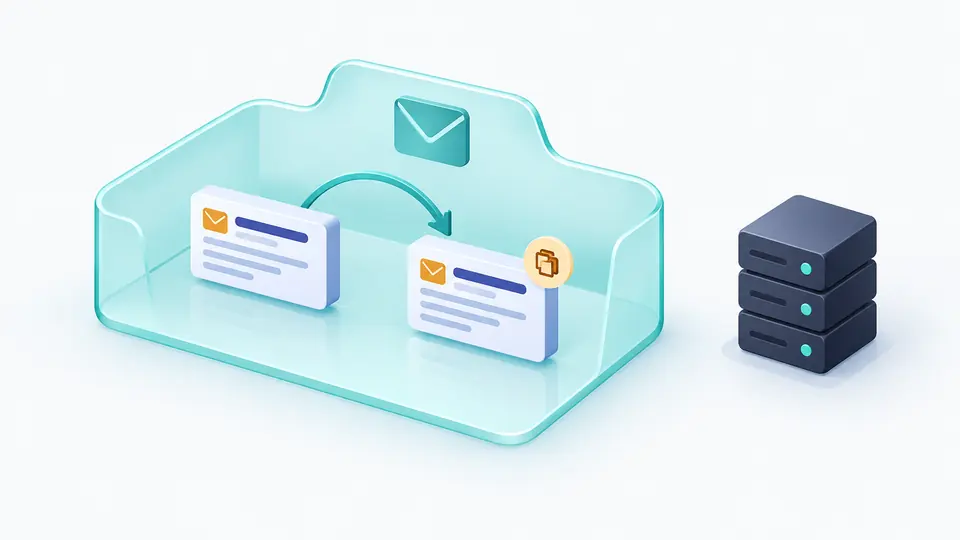
A replay makes a marked copy of the selected event in the same inbox. This lets you compare two records and verify your filters. It never calls an arbitrary destination, so it cannot pretend to test your application handler or trigger a production side effect.
The 30-minute clock starts when you create the inbox, not when the first callback arrives. The management key lives only in this tab, so keep it open while you test; reloading loses access to earlier records.
The list refreshes every three seconds while this tab is visible. Inspect method and path first, then query, masked headers and the Body. A binary Body is displayed as Base64 instead of being silently decoded as broken text.
Method and text filters operate on captured events, never on what the endpoint accepts. Editing a filter briefly disables export while the visible result updates. Download includes the current filtered records, up to the 50-event inbox limit.
The webhook tester accepts GET, POST, PUT, PATCH, DELETE, HEAD and OPTIONS at a random address. Each accepted request records its method, path, query, arrival time, redacted headers and a body up to 64 KiB. A full or expired inbox rejects new events instead of truncating them.
Choose a method or search the captured path and body to find one callback among retries. Details retain the original event; the JSON download contains only the currently visible filtered set, with no management key.
The random inbox expires after 30 minutes and holds at most 50 events. A server-side expiry alarm removes the event data. Refresh stops when the tab is hidden, and a manual refresh is available when checking a delivery immediately.
Create an inbox, copy its receive URL into your provider's test webhook setting, send a test event and return to this tab. The webhook tester refreshes the event list every three seconds while visible. Open an event to inspect what reached this address.
The receive URL is public to anyone you give it to, so they can send data. Only the separate management key in this tab can read events. Common credential headers are masked before storage, but the path, query and body are retained; send test data only.
Yes, after a preview and explicit confirmation. Replay creates a marked copy in this same inbox; it does not call your app, your provider or any arbitrary URL. It also consumes one event slot.
The inbox has a fixed 30-minute lifetime from creation, with a maximum of 50 records. Once it expires, new requests are rejected and stored events are deleted. Reloading your browser tab loses its private management key sooner.
Yes. Use a tool such as curl or an HTTP client to send a small request to the receive URL. This page never sends a sample request automatically and cannot forward a captured event to an external destination.
Did a callback behave differently?
Start a temporary inbox when your sender is ready, then inspect the captured event before the 30-minute window closes.
This tool receives and temporarily stores requests on HeyUtils servers.