JSON tools

JSON validatorFind the fault, keep the evidence

Validate manually with Ctrl/Cmd+Enter, or enable automatic checks. Choose a diagnostic location to return to the original line.

JSON validator

JSON input

Inputs stay in this browser tab; no upload or persistent storage.

Diagnostics

Waiting for validation.

JSONC allows // and /* */ comments. Trailing commas remain invalid.

Report outdated or not run. Validate the current input.

Exports contain diagnostics and short source excerpts, not corrected JSON.

An API response can parse successfully and still contain two values for the same field. This JSON validator keeps that evidence visible instead of replacing the first value with the last one. It separates a broken document from a document that deserves a closer look.

Use this JSON syntax checker when debugging a payload or reviewing configuration. You can validate JSON online without reformatting the source. The JSON lint report describes the selected grammar and the locations it actually checked.

Why use a JSON validator before parsing?

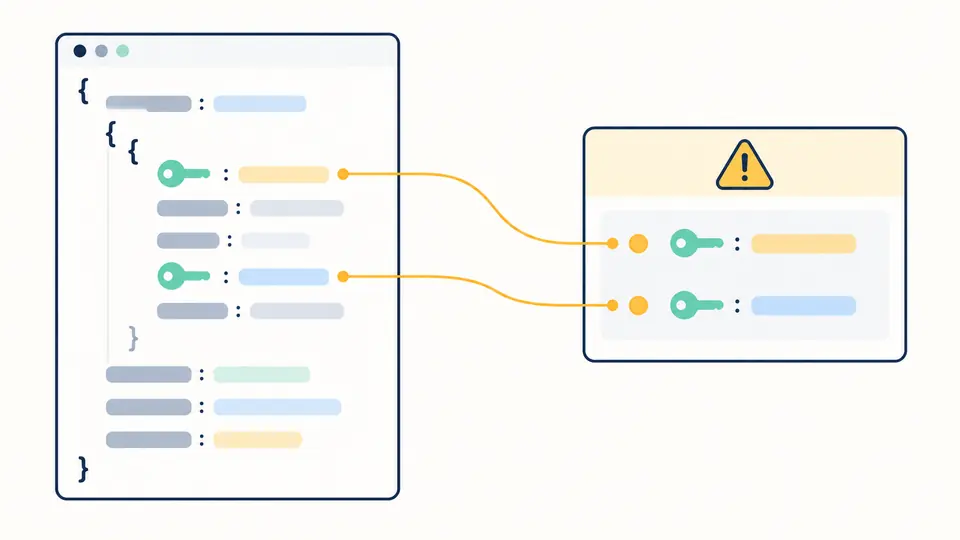
See both occurrences of a repeated key

A regular JavaScript object cannot retain two members with the same name. Here the scanner reads each member directly from the source. It reports the later occurrence, links it to the first location, and continues through otherwise valid structure. Escaped spellings such as "a" and "\u0061" are compared as the same key.

Two matching key markers in an unchanged source document connect to a diagnostic card.

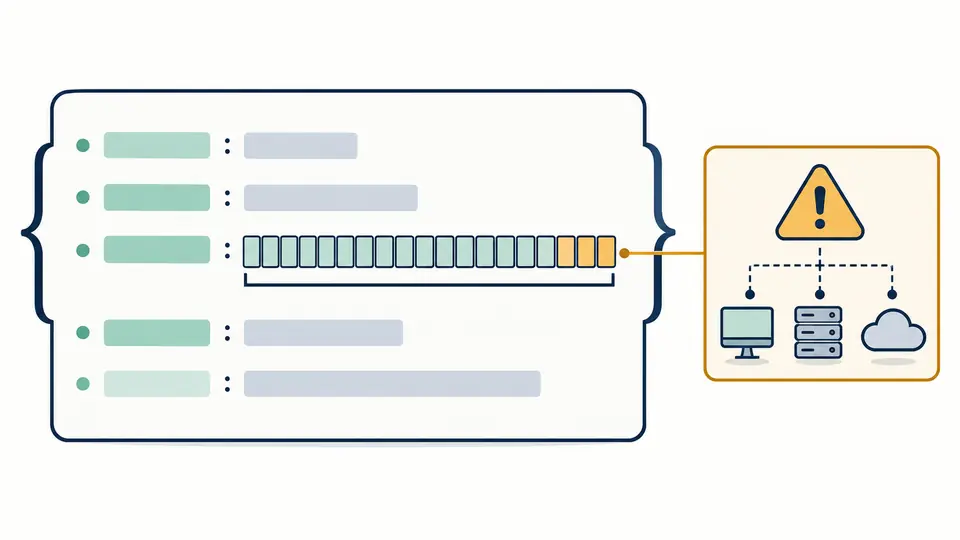
Keep long IDs intact while reviewing risk

A long identifier may be legal JSON yet exceed the safe integer range of a consumer using JavaScript Number. The original digits stay in the editor. A warning points to the numeric token; no rounding, quoting or substitution is applied to your document.

An intact row of numeric token blocks is accompanied by an amber warning, with no digits replaced.

Three ways to read a report accurately

01

Choose the grammar first

Strict JSON is the initial mode. JSONC permits line and block comments, but still rejects trailing commas. Switching modes invalidates the report immediately, so a previous result cannot be mistaken for a check under the new rules.

02

Follow the location, then inspect its surroundings

Line and column numbers start at one. Click a location to move the input cursor there. The reported position is where parsing failed; a missing comma or bracket can originate on an earlier line. Long source excerpts are shortened around the location.

03

Rerun before exporting

Manual mode supports Ctrl/Cmd+Enter. Automatic mode waits 400ms after the last change and hides the run button. Copy and download are disabled while the report is outdated; export includes every collected diagnostic, not only the first 50 displayed.

Syntax, duplicate names and numeric hazards

A grammar result separate from warnings

The JSON validator distinguishes syntax failure, valid syntax with warnings, and an incomplete check. A duplicate key is an interoperability warning rather than a claim that the JSON grammar forbids it. The same name in different objects is not a duplicate.

Exact integer-range checks

Integers outside −9007199254740991 through 9007199254740991 are flagged, including mathematical integers written with a decimal point or exponent. A token that becomes infinity in Number receives a separate overflow warning. This does not certify arbitrary decimal precision.

A report tied to the original source

Diagnostics include a stable code, severity, JSON Pointer, offset, line, column and a short context excerpt. Repeated keys also include the first occurrence. Offsets and columns count UTF-16 units; CRLF counts as one line break. Slash and tilde in pointer segments are escaped.

Boundaries that matter when interpreting success

One document, no schema
Paste one complete JSON value, including a scalar if needed. JSONL, batches, URL fetching and file import are outside this page. Syntax checks do not enforce required API fields, value ranges or JSON Schema.
Comments are the only JSONC extension
Both modes reject single-quoted strings, unquoted keys, NaN, Infinity and trailing commas. An initial BOM and non-JSON whitespace are reported instead of being silently stripped. An unfinished block comment remains an error in JSONC.
The first syntax error stops the scan
Fix that error and run again to inspect the remaining document. Warnings collected before the failure describe only the scanned prefix. A resource limit leaves syntax validity unknown, with an incomplete report rather than a green success.
Finite work and finite reports
Limits are 500,000 UTF-16 input units, depth 100 with the root at zero, 50,000 values and 1,000 units per number. Reports hold at most 1,000 diagnostics, including a limit notice; combined path and excerpt content is capped at 2,000,000 units.
No automatic correction
The tool does not repair, format, sort, remove duplicate fields or turn numbers into strings. Copy and download produce a diagnostic report containing short source excerpts, not a cleaned payload. Review those excerpts before sharing the file.

JSON validator questions

What is the difference between JSON validation and JSON Schema validation?

Syntax validation checks whether text follows the selected grammar. Schema validation checks requirements such as properties and types. This page provides the former plus duplicate-key and numeric-risk diagnostics; a successful result is not evidence of API compatibility.

How do I fix "Unexpected token" errors in JSON?

Inspect the highlighted location and the preceding member or array element. Common causes include a missing comma, a single quote, or text after the root value. Correct the original input and validate again; the tool does not guess a repair.

Can I validate JSON5 or JSONC (JSON with comments)?

Select JSONC to permit // and /* */ comments. Trailing commas remain errors, and JSON5 features such as single quotes and unquoted names are unsupported. The report records which mode was used.

Is there a maximum file size?

The input limit is 500,000 UTF-16 units, not a byte-size promise. Depth, value count, number length and report limits also apply. When a limit interrupts the check, the report explicitly records unknown syntax validity.

What is the difference between formatting and minifying JSON?

Formatting changes indentation; minifying removes insignificant whitespace. Neither is performed here. The JSON validator preserves the text used for every reported position. Use the related formatting tool when you are ready to change its presentation.

Found an unexpected result?

Inspect the next payload with the JSON validator

Load the example to compare a repeated-name warning with a numeric-risk warning. The JSON validator lets you inspect each original location before choosing what to change.