JSON tools

JSON repairChoose every change before exporting

Generate suggestions manually with Ctrl/Cmd+Enter. Each highlighted change needs your acceptance; the original remains available for comparison.

JSON repair

Original input

Accepted result

Text stays in this browser tab; no upload or persistent storage.

Suggestions can change meaning or invent missing values. Accept only changes you understand; valid syntax does not prove correct data.

Preview missing or outdated. Generate suggestions for this input.

A missing comma can stop an otherwise useful API payload from loading. JSON repair proposes a candidate and shows the actual text differences so you can decide whether each insertion, deletion or replacement fits the data you expected.

This JSON fixer is for reviewing invalid JSON from logs, copied object literals and interrupted responses. To fix broken JSON responsibly, inspect the surrounding fields as well as the highlighted characters: a parseable document can still tell the wrong story.

JSON repair with a visible review trail

Inspect the exact proposed replacement

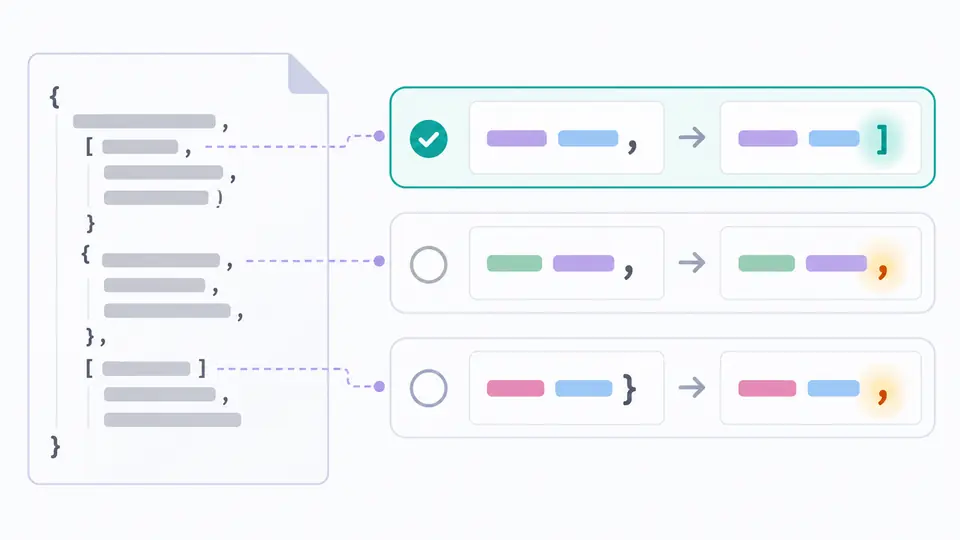
Two adjacent values might need a comma, while a bare key might need a pair of quotes. The review list shows what would disappear and what would replace it, with a location and a change count. Nothing is accepted just because a candidate can be generated.

A source fragment connects to several highlighted proposed changes, with one change selected and others awaiting review.

Separate a suggestion from an exportable result

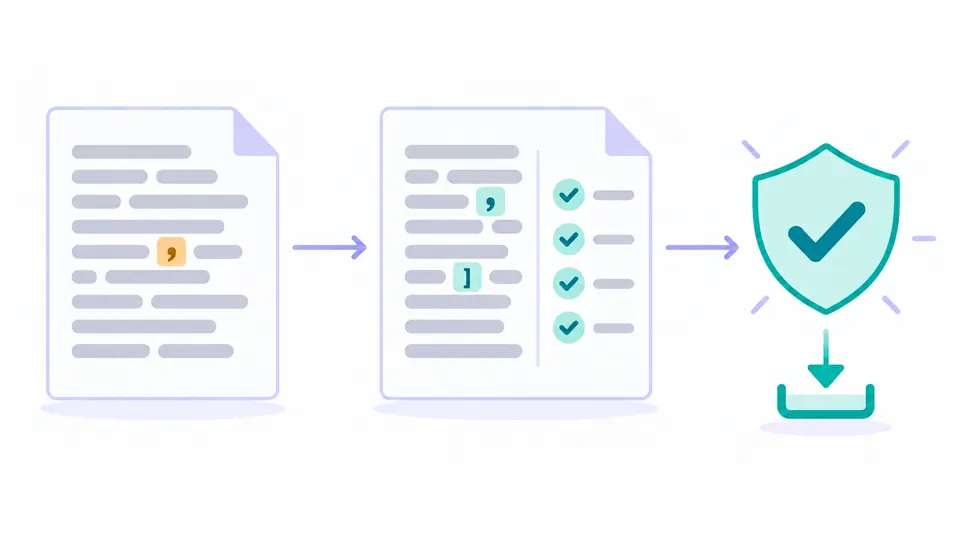
The right panel contains only changes you have accepted. It may remain invalid during review. Export opens only after every proposed change has been accepted and strict validation succeeds, giving you a clear distinction between work in progress and a completed syntax check.

An unchanged source document sits beside a reviewed result, with a validation check before the export symbol.

Read the proposal before approving it

01

Generate again after editing

Use Ctrl/Cmd+Enter or the main action to inspect the current input. Editing the original immediately makes the previous proposal outdated. Generate a fresh proposal before continuing; old locations must not be applied to different text.

02

Check context around every highlighted span

A single span is a text difference, not necessarily one independent syntax error. Paired punctuation and adjacent repairs can be grouped. Accept a span only after reading its before-and-after text and checking the nearby key or array value.

03

Finish the review before judging the output

Partial acceptance may leave unmatched quotes or missing separators. Continue reviewing the remaining spans, then read the validation state. Undo restores the previous acceptance state and its output if the last decision was mistaken. Clear and loading an example can also be undone.

Visible edits and a separate syntax gate

Candidate generation for common malformed input

JSON repair can propose missing separators and quotes, normalize single-quoted strings and remove trailing commas. The underlying engine can also transform comments, Python-style literals, code wrappers and truncated content. Those broader changes need the same careful review.

Original text stays available

Accepting a suggestion changes the output while leaving the original editor intact. Output is assembled from source text and accepted differences, without a final formatting pass. Numeric text is not rounded by a parse-and-stringify step, though proposed changes to malformed values still require inspection.

Validation follows the accepted text

The syntax check runs on what you have actually accepted. A resource limit or incomplete check cannot enable export. This separates a candidate the engine produced from a result that has completed both human review and a strict grammar check.

What a successful result does not promise

No guarantee of recovered meaning
Missing text cannot reveal which field or value originally belonged there. Closing a truncated object or inserting a placeholder may produce valid syntax and still change the intended data. Compare against the source system before using the result.
A finite review workload
Input is limited to 100,000 UTF-16 units. Additional limits cover nesting, values and the amount of repair work. If a limit is reached, reduce the input to a meaningful smaller fragment; this page is not a streaming recovery service.
No automatic acceptance
Every proposed span starts unaccepted. There is no accept-all shortcut, and accepting a subset does not unlock export even if that intermediate text happens to parse. You can edit the original and generate a different proposal instead. Already-valid input needs no repair changes and can be exported after the check.
Syntax is not an API contract
Strict validation does not prove required fields, allowed amounts or business rules. It also does not resolve duplicate names for you. Use a schema or application checks where the receiving system requires them.
No formatting or source replacement
This page does not sort keys, remove empty values or apply the result over the input. Copy and download use the reviewed output text. Choose a related formatter afterwards if you want consistent indentation. Input is pasted text only: no file or URL import, AI repair, saved history or document-sharing links.

JSON repair questions

Can every malformed JSON document be fixed?

No. Ambiguous fragments may admit several plausible repairs, and severely damaged input can fail outright. Keep the source text and obtain the full response when possible; repeated attempts cannot recover information that is absent.

Does successful repair prove the intended data is correct?

No. JSON repair checks syntax after you accept the suggestions, but acceptance and parsing cannot prove the intended field values. Review placeholders, string boundaries and closed containers especially carefully.

Why is JSON generated by a language model sometimes malformed?

Generated responses can mix object-literal conventions with strict JSON, include code fences or stop at an output limit. The repair engine may propose changes for those patterns. It does not ask a model to reconstruct the missing content.

Which syntax problems can a repair tool handle?

Common examples include missing commas, bare property names, single quotes and trailing commas. Comments, wrappers and incomplete structures can also produce suggestions. Read the actual highlighted differences because a broader repair may affect values or structure.

How is repairing JSON different from formatting it?

A formatter changes the presentation of valid data. Repair proposes edits to text that may not parse at all. Here the final text is not reindented; once the review is complete, use the separate formatter if needed.

Did a suggestion look wrong?

Review another payload

Use JSON repair on a small reproducible fragment, compare every proposed change, and keep a copy of the original when checking the result in your application.