01
Check the replacement preview
Importing a file, loading an example or clearing the input proposes a replacement first. Apply it after checking the preview; Undo restores the previous input, result and settings.
JSON tools
Choose flatten or restore, then run the conversion. Changing the input or options requires another run.
Copy and download include the full result, beyond the visible preview.
JSON stays in browser memory and is not uploaded or saved.
Versioned format: k: marks object keys, i: marks array indexes; backslash escapes the separator and backslash. An empty path is the root.
Result is out of date; copy and download are disabled.
Use JSON flatten when nested configuration or an API response makes it difficult to compare individual fields. Each terminal value receives a path, so a deeply buried setting can be inspected without following the whole object tree.
The output is a versioned JSON envelope, with settings and typed paths alongside the values. JSON unflatten reads that envelope; it does not guess whether an arbitrary dotted key represents an object property or an array index.
JSON flatten marks object keys with k: and array indices with i:. An object property named "0" therefore remains different from the first array element. Escaped separators also distinguish a literal dotted key from a nested path.
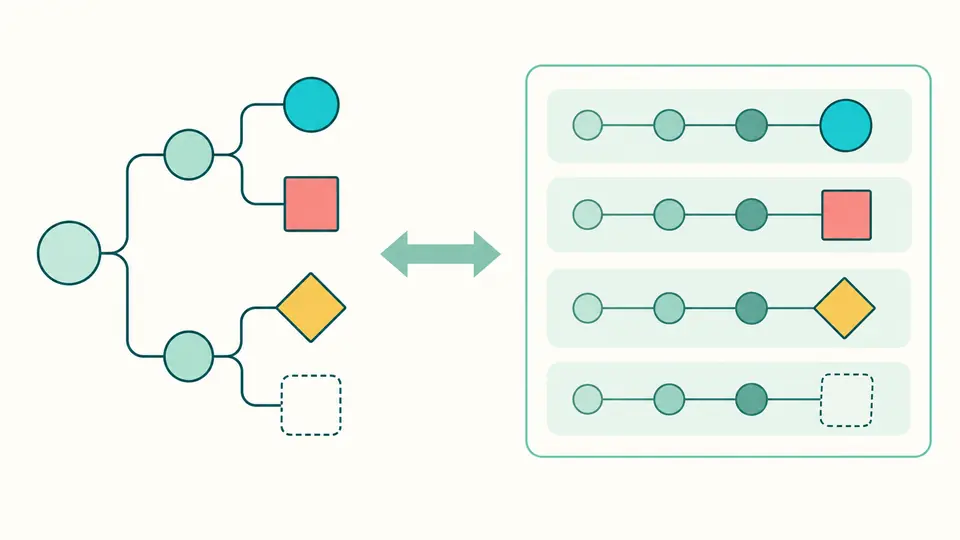
Use JSON flatten with indices to see each nested array value, or keep arrays as complete values when their contents should travel together. Empty objects and arrays remain present, so restoration does not lose an empty configuration section.
Importing a file, loading an example or clearing the input proposes a replacement first. Apply it after checking the preview; Undo restores the previous input, result and settings.
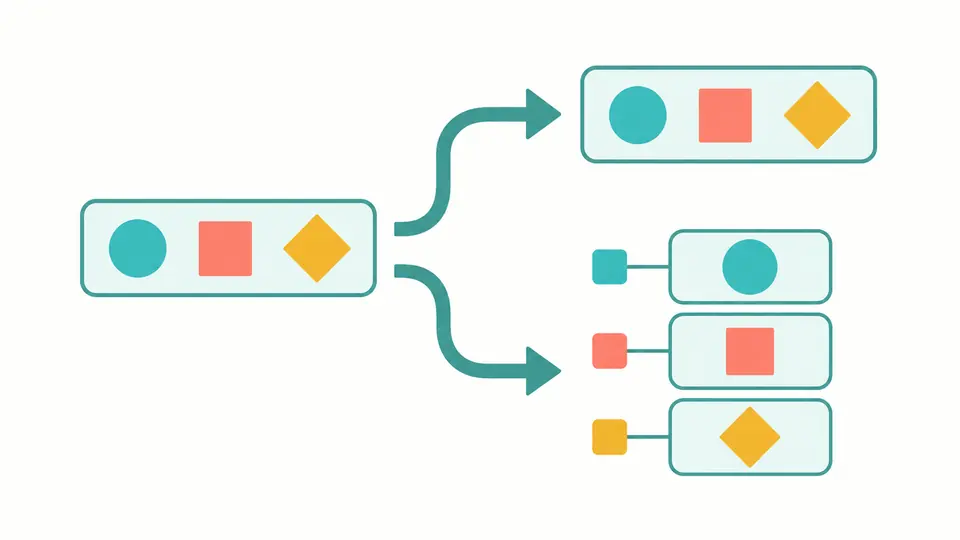
Indices expands arrays; Keep retains each complete array. The separator is one ASCII punctuation character except a colon or backslash. Conversion runs manually, and edited settings make the previous result stale.
Use result previews a replacement and switches direction when applied. Keep the envelope metadata and all entries for restoration. The visible preview grows by 5,000 characters; copy and download include the entire accepted result.
Object segments begin with k: and array segments with i:. The empty path represents the root, including a scalar, null or an empty container.
A separator inside an object key and a literal backslash are escaped with a backslash. Paths must use the canonical spelling expected by this format.
Large integers, -0, decimals and exponent tokens such as 1e999 are preserved as JSON number text. This conversion does no arithmetic and does not round them through JavaScript numbers.
Duplicate keys, conflicting paths, sparse arrays and mixed container types are rejected. A failed conversion never offers a partial result as a successful export.
Keep the complete envelope and choose restore, or apply Use result to switch direction. JSON flatten records whether arrays were expanded or retained and uses typed indices instead of inferring arrays from numeric property names.
Choose the indices strategy. Each array element receives an i: segment, including arrays inside objects or other arrays. Keep leaves the complete array at its current path when individual elements do not need separate entries.
Run restore on the envelope from this tool. Arbitrary jq output or another dotted-key map needs conversion to this format first; changing only the mode does not translate a foreign path syntax.
For a one-off inspection, run the browser conversion and check a round trip before copying the result. This page makes no fastest-runtime claim; for automated pipelines, use a library whose path format matches the system receiving your data.
Yes. Nested objects and indexed arrays are traversed up to the depth and node limits. Keys include each typed segment, so a deeper value remains associated with its source location.
Found a path that does not round-trip?
Try JSON flatten on an example, inspect the typed paths, then use the result to restore the original structure before working with a larger document.