
JSON tools

CSV to JSON converterfree, fast, and private

Paste CSV or TSV, choose your delimiter and header settings, then copy or download clean JSON. The preview updates as you type.

CSV to JSON converter

Examples
Delimiter
Conversion options

CSV or TSV input

Runs locally in your browser. Nothing you paste is uploaded.

JSON output

Changes detected. Updating the result…

A quick CSV to JSON conversion becomes risky when a quoted field contains a comma, an ID starts with zero, or one row has too many columns. This CSV to JSON converter handles those edge cases instead of silently changing your data.

Use the CSV to JSON converter for spreadsheet exports, API payloads, test fixtures, database migrations, or any workflow that needs a readable JSON array. Everything runs locally in your browser, with no account or upload.

Why use this CSV to JSON converter

Built for real spreadsheet and database exports—not only perfect sample rows.

Preserve quoted commas, quotes, and line breaks

A value such as "London, UK" belongs in one cell, not two. This CSV to JSON converter follows RFC 4180-style quoting, keeps line breaks inside quoted fields, and reads doubled quotes correctly.

Quoted CSV field preserved as one structured JSON value during conversion

Convert private CSV data without uploading it

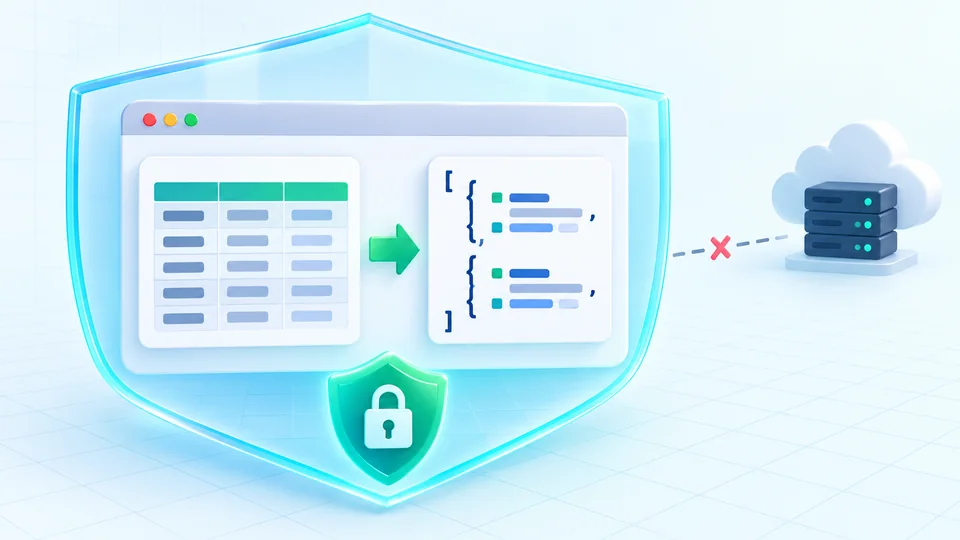
The CSV to JSON converter runs as JavaScript on your device. Your customer exports, test data, and internal records are processed inside the current browser tab and are never sent to our server.

Private CSV to JSON conversion contained inside a browser and disconnected from a server

Three settings that change the output

Convert CSV to JSON online in three steps, with a live result you can verify before downloading.

01

Paste your CSV or TSV data

Paste rows copied from Excel or Google Sheets, a database export, or any delimited text. If you want to test the conversion first, load one of the built-in examples.

  • Works with comma, tab, semicolon, or a custom delimiter
  • Handles quoted fields automatically
Jump to the converter
02

Adjust the conversion options

Select comma, tab, semicolon, pipe, or a custom delimiter. Then choose whether the first row supplies JSON keys, whether empty cells become null, and whether numbers and booleans should be inferred.

Enable nested fields when headers use dot notation such as "address.city". Every option updates the JSON preview immediately.

03

Copy or download the JSON

Review the JSON array, then copy it or download a .json file. If a row has the wrong column count, the converter reports its row number and excludes it from the result.

Fix flagged rows in the source data and paste again when every record must be included.

See the conversion rules

Delimiters, headers and how values are typed

Practical controls for turning delimited rows into dependable JSON objects.

Comma, tab, semicolon, or custom delimiter

Convert standard comma-separated CSV, tab-separated TSV, semicolon or pipe-delimited exports, and data that uses another single-character delimiter.

Header row on or off

Use the first row as JSON property names. For CSV without headers, turn the option off and the tool generates column_1, column_2, and so on.

Optional type inference

Optionally convert safe numbers and true/false text into JSON numbers and booleans. Leave it off when every CSV value must remain a string.

Leading zeros stay intact

Values such as "00501" and integers beyond JavaScript's safe range remain strings, even with type inference enabled, protecting ZIP codes and long IDs.

Nested fields from dot notation

Turn headers such as "user.name" and "user.email" into a nested user object instead of flat JSON keys.

Bad-row reporting

Rows with too many or too few columns are listed with a row number and preview instead of shifting values into the wrong JSON keys.

What stays text, and what stops the conversion

Know exactly how headers, data types, malformed rows, and nested keys are handled.

Quoting follows RFC 4180
A field wrapped in double quotes may contain the delimiter, a line break, or a double quote escaped as two consecutive double quotes. Unquoted fields are read literally.
Every row must match the header's column count
A row with more or fewer values than the header—or the first data row when headers are off—is reported and excluded. The parser never guesses where shifted values belong.
Numbers with leading zeros stay as text
Even with type inference turned on, values like "007" or "00501" are kept as JSON strings, because converting them to a number would silently drop meaningful leading zeros.
Very large integers stay as text
Integers beyond JavaScript's safe integer range are left as strings instead of being rounded, so large IDs are not corrupted.
A UTF-8 byte-order mark is stripped automatically
Some spreadsheet exports begin with an invisible byte-order mark. The parser strips a leading UTF-8 BOM so it cannot become part of the first key.
Nested fields only follow dot notation
This version builds nested objects from headers such as "address.city". It does not currently build arrays from repeated or bracketed headers like "tags[0]".

CSV to JSON converter FAQ

Answers to the questions people ask before converting CSV files, TSV data, and spreadsheet exports.

How do I convert CSV to JSON online?

Paste your CSV into the left editor, confirm the delimiter and header option, and review the JSON on the right. The output updates automatically; when the result is correct, copy it or download the .json file.

Does the CSV to JSON converter use the first row as headers?

Yes, by default the first row becomes the property names for every JSON object. If your CSV has no header row, turn off "First row is a header" and the tool creates keys such as column_1 and column_2.

Can it handle commas, quotes, or line breaks inside a CSV field?

Yes. Wrap the field in double quotes and escape an internal double quote by writing it twice. The parser follows RFC 4180-style rules, so "London, UK" remains one value and quoted multi-line text remains one field.

Can I use this as a TSV to JSON converter?

Yes. Choose "Tab — TSV" as the delimiter, or load the TSV example. You can also select comma, semicolon, pipe, or enter a custom single-character delimiter.

Why are numbers still strings after CSV to JSON conversion?

CSV does not store data types, so type inference is optional. Turn it on to convert safe numbers and true/false values. Values with leading zeros and very large integers still remain strings to prevent data loss.

Why did the CSV to JSON converter skip some rows?

A row is skipped when its number of values differs from the expected column count. The error panel shows the row number, expected count, actual count, and a preview so you can correct the source data instead of accepting a corrupted result.

How do I create nested JSON from CSV headers?

Enable "Build nested fields from dot notation" and use headers such as user.name or address.city. The tool creates nested objects from those paths. Bracket syntax such as tags[0] is not supported.

Is my CSV uploaded or stored during conversion?

No. The CSV to JSON converter processes pasted data with JavaScript in your browser. Nothing is uploaded to HeyUtils, no account is required, and the page does not keep a server-side copy of your input or output.

Is there a CSV file size or row limit?

There is no hard-coded row or file-size limit. Because conversion runs in the current tab, very large inputs are limited by your device's available memory and may respond more slowly.

Found an edge case this converter gets wrong?

Use the CSV to JSON converter now

Paste your CSV or TSV and get structured JSON in seconds—no sign-up, installation, or upload.

Bookmark this free online converter for the next spreadsheet export, API fixture, or data migration.

Part of the Data & Formats category on HeyUtils.