AI / LLM Dev Tools

JSONL viewerFind the record that broke the import

Choose JSONL or JSON array input, then run the check. Expand a record to inspect it; exports include all matching records including those not yet shown.

JSONL viewer

JSON Lines or array input

Export preview

Preview shows the first 4,000 characters. Copy and download include every selected record.

Input stays in this browser. No upload or network request is made.

Text: 2,000,000 UTF-16 units; UTF-8 files: 20 MiB; arrays: 500,000 units. One record: 500,000 units; 100,000 records maximum.

Structured exports reject selected invalid records and skip explicitly ignored blank lines. Raw export keeps record contents and normalizes separators to LF. Output limit: 40,000,000 units. Array input is split into compact element records first, so raw export in array mode also writes one compact element per line.

Input or options changed. Inspect again before exporting.

A dataset import fails on line 843, but the surrounding records look fine. The JSONL viewer checks each physical line independently so you can locate the broken entry without losing the rest of the file.

This NDJSON viewer handles event logs and line-oriented datasets. A JSON Lines parser checks grammar; readable record previews let you inspect nested values before deciding what to export.

Why use this JSONL viewer?

Keep a bad line in view

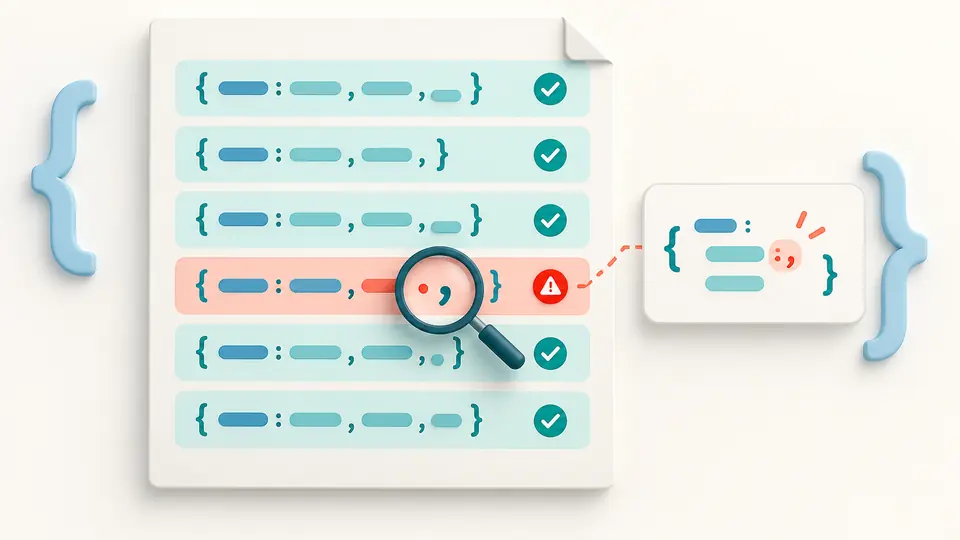
Errors stay beside their original line numbers. Filter to invalid records, read the raw content, and keep those lines in a raw export for investigation. One malformed record does not prevent other records from being checked.

A faulty row in a sequence connects to its own diagnostic card while the other rows remain visible.

Change containers without rounding identifiers

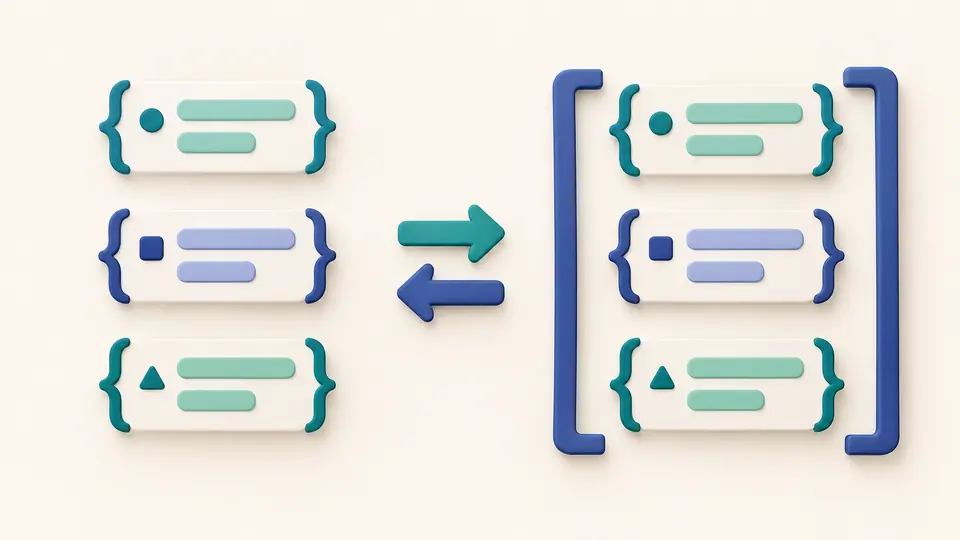
Convert JSONL to JSON or split a JSON array to JSONL while retaining the original numeric tokens and duplicate members. The conversion changes separators and whitespace; it does not rebuild your values as JavaScript objects.

Independent record cards become elements inside an array and retain the same token markers.

Choose the source and the export deliberately

01

Distinguish one array from several records

A single array on one line is a valid JSONL record. Select JSON array mode only when you want its top-level elements split into separate records. This choice prevents accidental flattening of an array-valued event.

02

Run again after adjusting options

Use the check button or Ctrl/Cmd+Enter. The JSONL viewer runs manually, including after edits or option changes. An outdated result cannot be copied or downloaded; a cancelled scan cannot replace a newer result.

03

Check the selected record count

Records are revealed in batches of 50. Export uses the full filtered collection, not only the visible entries. Choose valid records explicitly before a structured export if the file contains bad lines; raw output can retain those lines.

Inspect, isolate and reshape records

Separate syntax errors from warnings

The JSONL viewer distinguishes invalid lines from valid values with warnings. A repeated name or a number outside JavaScript’s safe integer range deserves attention without being silently rewritten.

Search the original line

Combine a case-insensitive text substring with a status filter. Search looks at source text, so a field name or literal fragment can locate records even if that record cannot be parsed.

Read nested values in context

Expand individual records into an indented view instead of reformatting the entire source into a document that is no longer JSONL. Physical line numbers remain attached to the original records.

Choose a useful output form

Keep raw line content for debugging, produce compact JSONL for line-based readers, or wrap valid selected records in a JSON array. Each export reports its scope, including explicitly ignored blank lines.

Know what a successful check covers

One value per physical line
Objects, arrays, strings, numbers, booleans and null are allowed. Literal newlines inside strings break a record; escaped \n stays inside the value. Comments, trailing commas and multi-line objects are not accepted as JSONL.
Blank lines and file markers are explicit
Empty lines are errors by default. Ignore mode records and counts them rather than shifting physical line numbers. A UTF-8 BOM is an error; CRLF is accepted. A missing final LF is only a notice, and a single final LF adds no empty record. Pasted text containing a literal unpaired UTF-16 surrogate is rejected before scanning; a JSON escape such as \uD800 remains unchanged.
Finite file and record budgets
Local files are limited to 20 MiB; pasted JSONL to 2,000,000 UTF-16 units; one record or array-mode input to 500,000 units. At most 100,000 records are retained, and exports are limited to 40,000,000 units. Additional parser complexity limits can stop a record check.
Preserved tokens are not identical bytes
Large integers, exponent spelling and duplicate keys remain intact. Raw output normalizes record separators to LF, while compact and array exports also change insignificant whitespace. Consumers may still round numbers or discard repeated keys when parsing the result. Raw line content is retained only for JSONL input. Array input first removes insignificant whitespace from each element; raw export therefore also contains compact element records.
Syntax checking has a defined scope
No JSON Schema, model-specific training checks, token counts, regular-expression queries, remote URLs or compressed archives are supported. The tool does not repair or silently remove invalid records. Select a narrower valid subset if you need structured output.

JSONL viewer questions

How can I turn JSONL records into a JSON array?

Choose JSON array as the output format after checking the input. All selected non-ignored records must be valid. If any selected line is invalid, filter explicitly to valid records or use raw output to preserve the faulty lines.

How are JSONL and NDJSON different?

Both names describe newline-delimited JSON values. This tool reads .jsonl and .ndjson using the same line rules. Blank-line handling is an explicit option rather than an assumption based on the extension.

Are arrays and primitive values allowed as records?

Yes. Each line may contain any complete JSON value, including an array or null. In JSONL mode, an array on one line remains one record. Use JSON array input mode to split an entire top-level array.

What happens when a line cannot be parsed?

The record keeps its physical line number, raw text and error information. Later records are still checked. A raw export can include it, but compact JSONL and JSON array output require every selected non-ignored record to pass.

How large a file can the viewer read?

The file limit is 20 MiB. Files are read in chunks, while record and output budgets still apply. The JSONL viewer makes no unlimited-file promise; for larger data, split the source first or use a streaming command-line pipeline.

Unexpected result?

Open the next log in the JSONL viewer

Start with the sample to see how one malformed line remains traceable. Then select the records and output shape needed by your next tool.