01
Use a numeric vector, not text
A flat JSON array or comma, space and newline-separated decimals works. Load the example to see same-direction vectors with different lengths; a natural-language sentence is not an embedding.
AI / LLM Dev Tools
Paste two numeric vectors as flat JSON arrays or separated numbers. All three metrics appear together; normalization changes calculation copies only.
Enter two vectors to see the metrics and steps.
Vectors stay in this browser. No upload or model request is made.
Only calculation copies are normalized. The pasted vectors stay unchanged.
Enter two vectors to begin.
An embedding score looks surprising: two vectors point the same way, but their Euclidean distance is large. The vector similarity calculator lets you check the raw components before blaming a retrieval system.
This cosine similarity calculator also shows dot product and distance. Their separate values reveal whether magnitude, direction, or both explain the difference; no text is converted into embeddings here.
One pair, three measurements, and enough arithmetic to audit them.
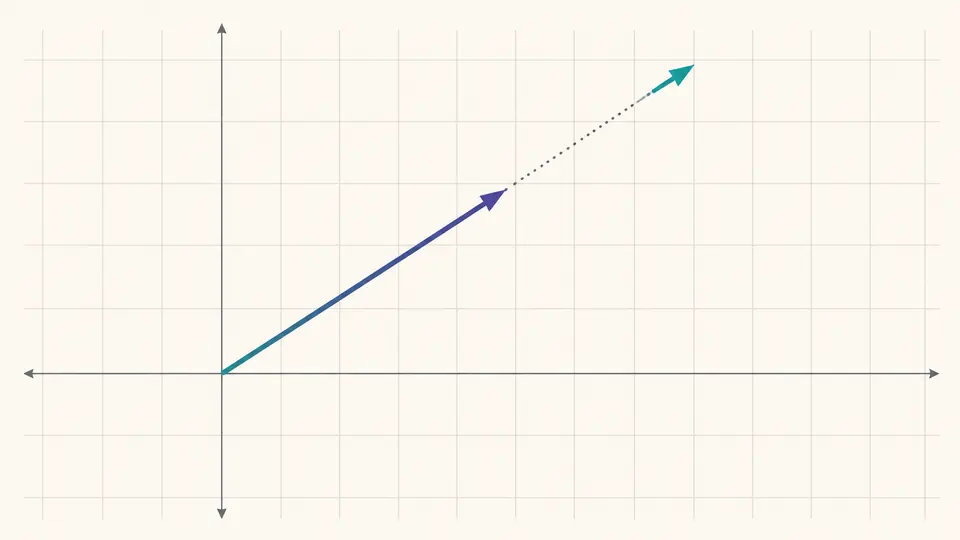
The vector similarity calculator shows that scaling one nonzero vector preserves cosine similarity while changing dot product and Euclidean distance. A single score would hide that difference.
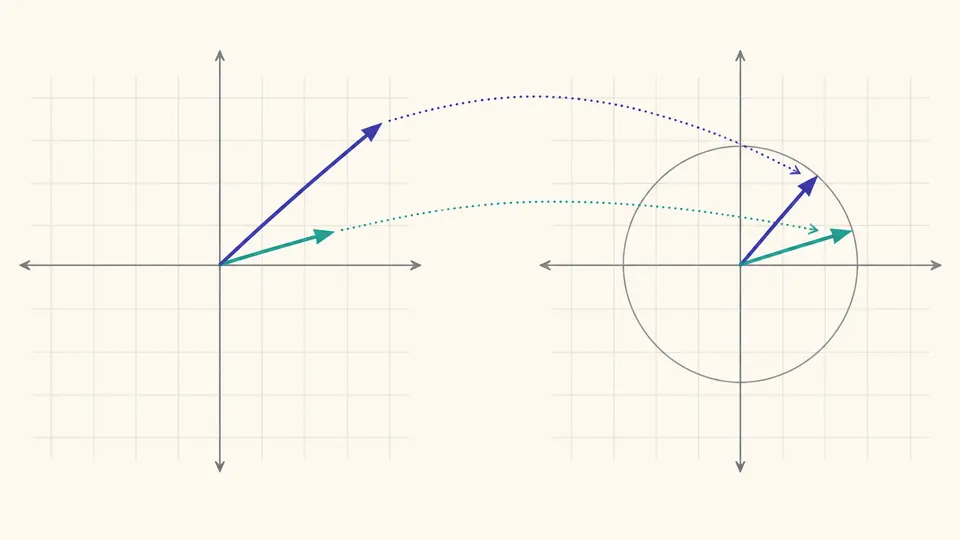
Switch on L2 normalization to compare unit-length copies. The source numbers stay intact, and the calculator shows original norms beside the new dot product and distance.
A flat JSON array or comma, space and newline-separated decimals works. Load the example to see same-direction vectors with different lengths; a natural-language sentence is not an embedding.
Automatic calculation waits 350 ms after edits. Turn it off for manual runs with Ctrl/Cmd+Enter. L2 normalization is off by default and changes only the numbers used for dot product and distance.
Check both dimension counts and original norms before reading the score. Component details reveal each product and squared difference in batches of 50; copied reports include every component.
Cosine similarity divides the dot product by both norms. Equal direction gives 1 even when vector lengths differ; a zero vector has no direction, so this value stays undefined.
Dot product sums corresponding component products. With normalized unit vectors it matches cosine, while raw vector lengths can raise or lower it.
Euclidean distance takes the square root of summed squared differences. It changes under scaling unless you deliberately compare unit vectors.
The vector similarity calculator divides the dot product by the product of the two nonzero norms. The component table shows the multiplications, while the step list shows the final division.
Cosine similarity measures direction and ignores length; Euclidean distance measures endpoint separation and includes length. Two vectors can share a direction yet sit far apart.
After both vectors have norm 1, the denominator of cosine is 1 × 1, so dot product equals cosine similarity. Without normalization, their values can differ.
No. The dot product pairs corresponding coordinates, so A and B must have equal dimensions. This calculator reports both counts and refuses to truncate.
A zero vector has norm 0, so cosine would require division by zero. Dot product and Euclidean distance are still computed when normalization is off.
Need another explanation?
Use the example, then paste your own pair. The vector similarity calculator keeps the source numbers in place while you test raw and normalized comparisons.