01
Read the units first
Character and Markdown modes count Unicode graphemes; estimated-token mode uses a published weighting formula. Size and overlap always share the displayed unit.
AI / LLM Dev Tools
Paste text, choose a unit, and inspect every source boundary before exporting.
Paste text or load the example to begin.
Input stays in this browser. No upload or network request is made.
Fixed windows count grapheme clusters and may cut through a sentence.
Paste text or load the example to begin.
A RAG text chunker is useful when a retrieval result loses the sentence just before a boundary. Paste a real passage here and compare where the cuts land before indexing it.
This text chunking visualizer shows chunk size and overlap as source ranges. It supports Markdown chunking and exports JSONL chunks with offsets, so a retrieved passage can be traced back to the original text.
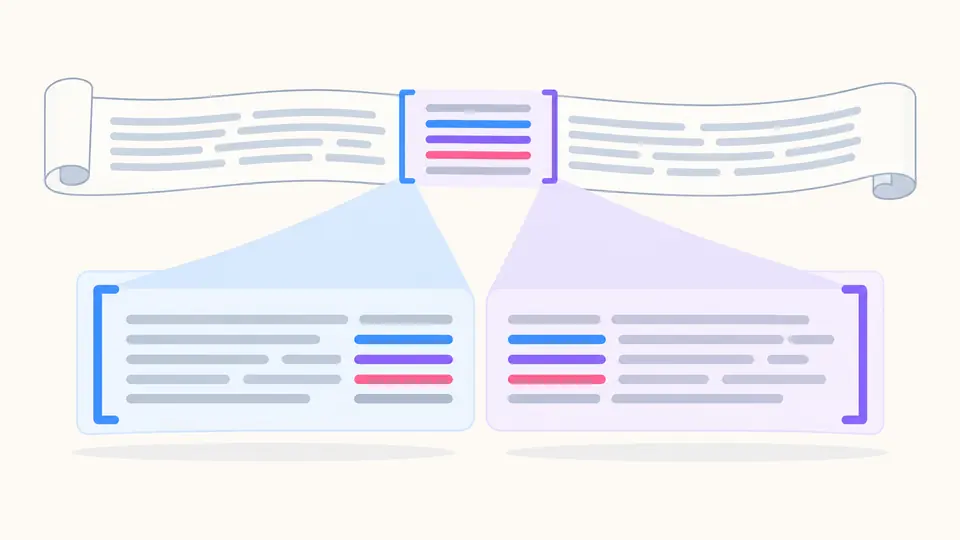
Inspect the repeated text instead of guessing what overlap means.
The RAG text chunker records half-open UTF-16 offsets and highlights the portion shared with the preceding chunk. A range points to the exact original text, including line endings.
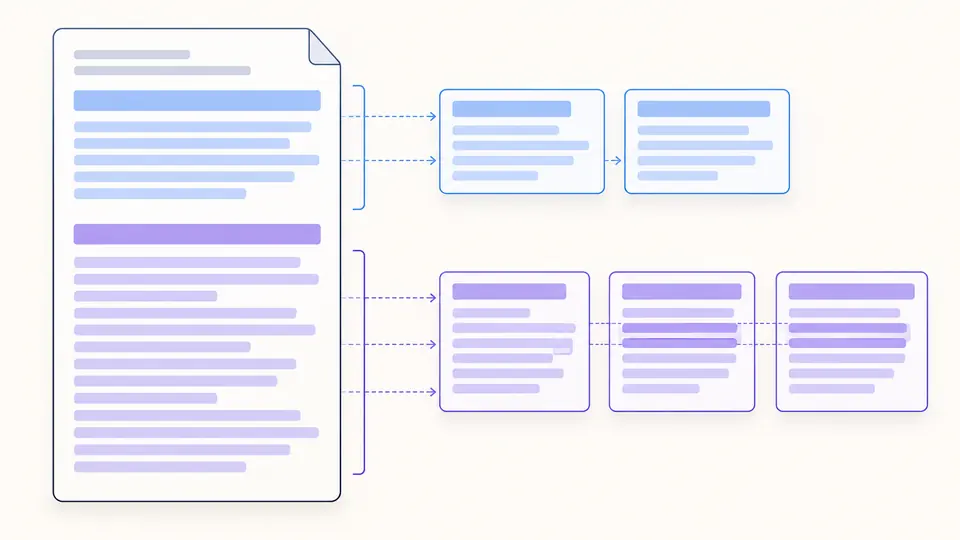
Heading boundaries begin new chunks with no cross-section overlap. Long sections fall back to paragraphs and lines, so a new heading is not prefixed with the previous topic.
Three details that affect the chunk list more than a generic preset.
Character and Markdown modes count Unicode graphemes; estimated-token mode uses a published weighting formula. Size and overlap always share the displayed unit.
Select adjacent chunks to inspect their source offsets and highlighted overlap. Markdown headings intentionally reset overlap to zero.
Automatic splitting waits 350 ms after an edit. Turn it off for manual runs with Ctrl/Cmd + Enter; copying and downloading remain disabled while results are stale.
The output is designed for inspection and downstream indexing experiments.
Fixed windows do not cut a joined emoji or combining mark in half; they may still split a word or sentence.
The estimate weights CJK, other scripts, Latin text, and symbols differently, without claiming to match any model tokenizer.
Every JSONL line includes the chunk text, source start and end, character count, estimated tokens, and actual overlap range.
These limits belong to this splitter, not to a model or embedding API.
Answers based on the behavior you can inspect on this page.
There is no universal size. Start with the 1,000-grapheme window, then compare smaller and larger settings against real retrieval questions and document structure.
No. The RAG text chunker runs in this tab, and the pasted text is not uploaded or stored by this tool.
Extract its text first, then paste the resulting plain text or Markdown. This page does not parse PDF or Word layout, so inspect tables and reading order before splitting.
It depends on the task. This page provides deterministic windows and Markdown heading boundaries; it does not calculate embeddings or semantic similarity.
Inspect each boundary and the repeated span here, then run retrieval tests with questions whose answers you know. The preview alone cannot measure recall.
Share a missing case
Paste a real passage, adjust one setting at a time, and export a full JSONL record of the boundaries you inspected.