AI / LLM Dev Tools

Token counterSee the pieces behind the number

Choose a real encoding, then inspect text tokens and IDs. Add your own template and capacity values when planning a request.

Token counter

Text or JSON string array

Text stays in this browser. Encoding data may download once; no prompt is sent to a model API.

Count and budget

0

Enter text to count.

Budget and template options

Enter text to count.

A prompt can look short yet split into many tokens, especially when it mixes code, punctuation and several languages. This token counter exposes the actual IDs instead of guessing from character length.

Use the token counter before sending a batch of prompts. Each JSON string is measured as a separate request; the total describes workload, while the context check applies to each item.

Why use this token counter?

Inspect the real split

The token counter uses the selected BPE vocabulary and reveals every token ID. A word with a leading space, a newline or a non-Latin character can split differently from the way it looks on screen. Byte fragments stay attached to their IDs even when one Unicode character spans several tokens.

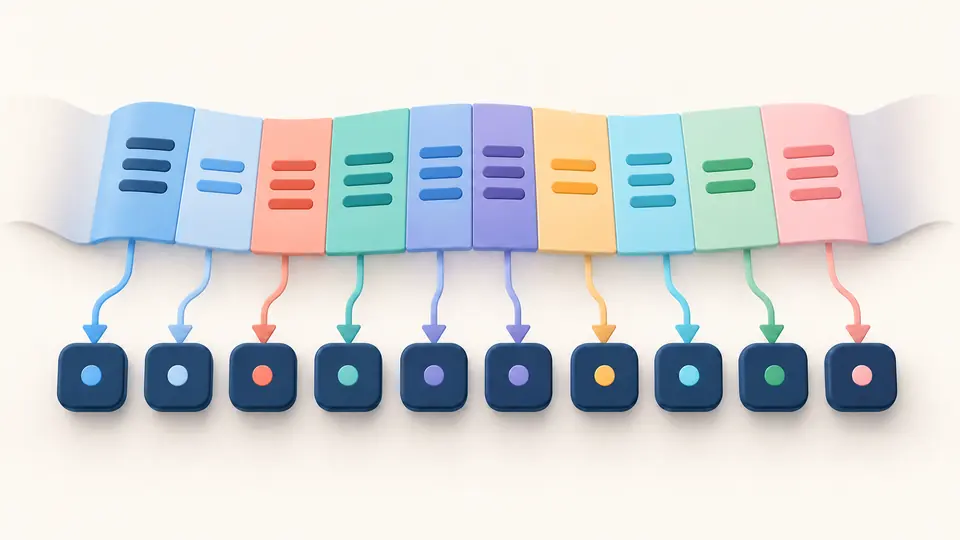
A text ribbon separates into colored token blocks, each connected to its own ID chip.

Budget each request separately

A batch of prompts is not one giant context window. The token counter measures each JSON string independently, encodes its shared prefix and suffix with it, then shows the remaining room after your output reserve and estimated overhead. The batch total represents overall work, not a single request.

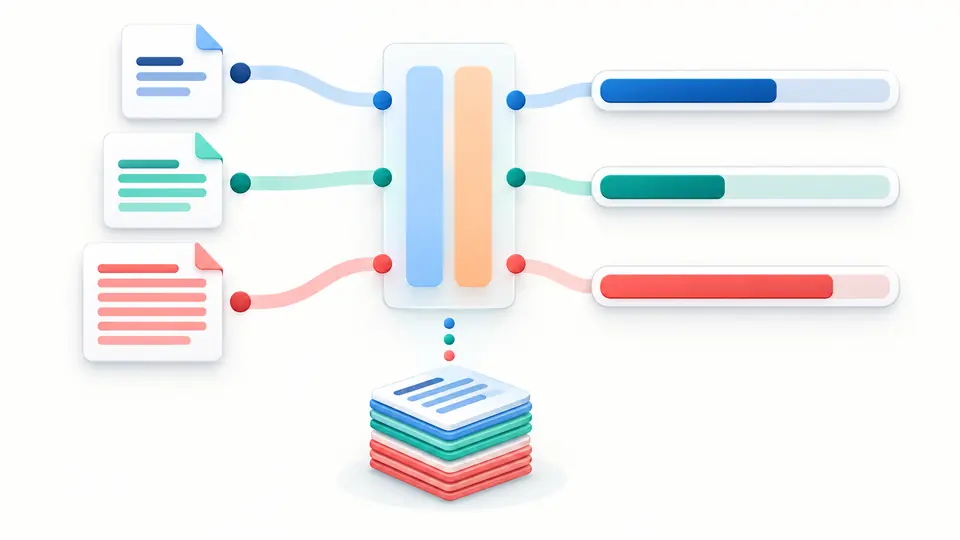
Separate prompt cards pass through a shared template and end beside individual capacity gauges.

Read the count without guessing

01

Pick the encoding, not a brand promise

o200k_base is selected initially. Switch to cl100k_base only when that is the vocabulary you need. The token counter labels the actual encoding; it does not infer an arbitrary model's tokenizer from its name.

02

Treat a batch as separate prompts

Batch mode accepts a JSON array of strings, so a newline inside one prompt remains inside that item. Counts refresh 350 ms after changes; switch Auto count off to run manually with Ctrl/Cmd+Enter.

03

Check the contribution, then the margin

Shared prefix and suffix are encoded together with each item. Their token difference can be negative when byte-pair merges cross a boundary. Enter a context window, output reserve and any known wrapper overhead yourself; stale results cannot be exported.

Inspect segments and plan prompt batches

Exact text vocabulary

Use two implemented OpenAI BPE encodings rather than a characters-per-token shortcut. Token IDs and UTF-8 bytes make a tokenizer online inspection reproducible for the chosen vocabulary.

Full batch accounting

Count GPT tokens for up to 100 JSON string items without flattening multiline prompts. Show 50 items at a time, while the downloadable JSON keeps every item and every ID.

Template cost with proper re-encoding

A shared prefix and suffix are joined to each prompt before tokenization. The tool reports source tokens, combined text tokens and their difference; it never assumes that separate token counts simply add.

Editable capacity arithmetic

Enter your own context window and reserved output. Each item's margin includes your optional overhead estimate; no model limit or price table is silently applied.

What these numbers do and do not cover

Only the selected text encoding is measured
This token counter implements o200k_base and cl100k_base. It does not claim exact Claude, Gemini or Llama counts, because those tokenizers are different. Token IDs are specific to the selected vocabulary.
An API request can contain more
Message roles, tool schemas, images and files are absent from this pure-text analysis. Other overhead per item is your estimate, not a measured API wrapper. Compare an actual full request with its provider's token counting API when precision matters.
Your window is an input, not a model lookup
The 128,000-token context window and 4,096-token output reserve are editable starting values, not a claim about a model. A negative remaining value flags a budget overrun, but a positive one cannot guarantee that an API will accept the request.
Finite local workload
Single text is limited to 200,000 characters; batch JSON to 500,000 characters and 100 string items. Non-string values fail with an item index, rather than disappearing. The token counter makes no file upload, price estimate or request to a model.

Token counter questions

Why does the same text have different token counts across models?

Different encodings have different vocabularies and merges. Switch between o200k_base and cl100k_base to inspect the difference for those two implemented encodings; another provider can differ again.

Is one token always four characters?

No. Four characters is a rough English prose average. Code, spaces, emoji and other scripts often split differently. Inspect the token IDs or paste the actual text instead of estimating from characters.

Does a token counter call the OpenAI API?

This token counter loads the BPE data into your browser and processes your text there. It does not send the prompt to a model counting endpoint; downloading the static vocabulary is separate from uploading text.

Why is the token count different from my API usage?

The API may include message boundaries, system text, tool definitions, attachments and generated output. This page measures only entered text and your explicitly entered wrapper estimate, so compare full-request usage at the provider.

Can I use this count for Claude or Gemini?

No exact claim follows from an OpenAI encoding. These providers use other tokenizers. Use their own count endpoint for a precise request check; the ID list here belongs only to the chosen encoding.

How do I check whether my prompt fits a context window?

Enter the intended window and output reserve. The context window calculator compares each item's combined text plus your overhead and reserve with that value. Verify the model's actual limit separately.

Unexpected count?

Try the token counter on a real prompt

Use a representative text or JSON batch, check the ID boundaries, then enter the capacity values for the request you actually plan to send.