01
Confirm the input format
Auto mode detects a leading JSON object; choose JSON or YAML explicitly if the source is ambiguous. A mismatched forced format gives a parse error instead of silently switching.
Cloud tools
Paste one JSON or YAML template; inspect local findings and a same-format preview.
No diagnostics in the covered checks.
Processed in this browser; no AWS request is sent.
Enter a template or load an example.
Input limit: 300000 characters.
A CloudFormation template validator helps when a template parses cleanly but a stack still fails on a missing Ref, a misplaced section or a property with the wrong basic type.
Here the source stays editable while diagnostics identify what the local checks actually cover. Use cfn-lint or AWS validation for service behavior and properties outside the bundled snapshot.
A readable YAML file can still refer to an undeclared parameter. This CloudFormation template validator reports parsing and Ref findings separately, with a source position, so you can fix the right layer first.
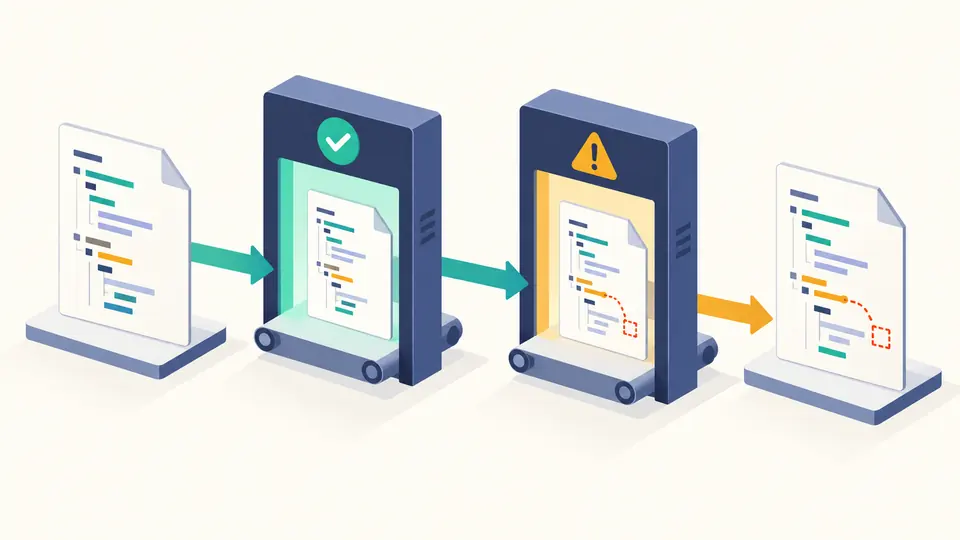
Three named resource types receive first-level property checks. Unknown types and dynamic values remain visible as uncovered work rather than a misleading all-clear from the CloudFormation template validator.

Auto mode detects a leading JSON object; choose JSON or YAML explicitly if the source is ambiguous. A mismatched forced format gives a parse error instead of silently switching.
The absent version means 2010-09-09. The result counts checked S3, SQS and SNS resources separately from unknown types; a warning is a review task, not proof that AWS will reject a resource.
Changing indentation or source makes previous findings stale. Copy the JSON report for review, or download the same-format formatted template; neither action rewrites the input.
Parse one template and show the first syntax position. YAML short forms such as !Ref and !Sub remain in the formatted preview; formatting does not convert the template to another language.
Resolve Ref, Fn::GetAtt and simple Fn::Sub names against declared parameters, resources and AWS pseudo parameters. Missing local names become diagnostics; imported values are not fetched.
Check first-level property names and simple types on AWS::S3::Bucket, AWS::SQS::Queue and AWS::SNS::Topic. Intrinsic expressions and nested values are reported as outside this static type check.
Start with the reported syntax line, then inspect section and reference findings. The local report separates JSON/YAML parsing from CloudFormation structure; AWS validation remains the final check.
The YAML parser could not build a document. Check indentation, colons and short tags at the shown line. A failed parse produces no formatted export.
A Ref, GetAtt or Sub name has no matching parameter or resource in this single template. Define it or correct the spelling; cross-stack imports are not resolved here.
The property may sit outside Resources or be absent from the bundled first-level snapshot. Review the exact path against AWS documentation rather than treating every coverage warning as invalid.
No. AWS validate-template and deployment can apply additional account, Region and service rules. This CloudFormation template validator reports only its documented local checks.
Still have a question?
Recheck after each edit, then carry the current diagnostics into your deployment review.