01
Read the empty positions
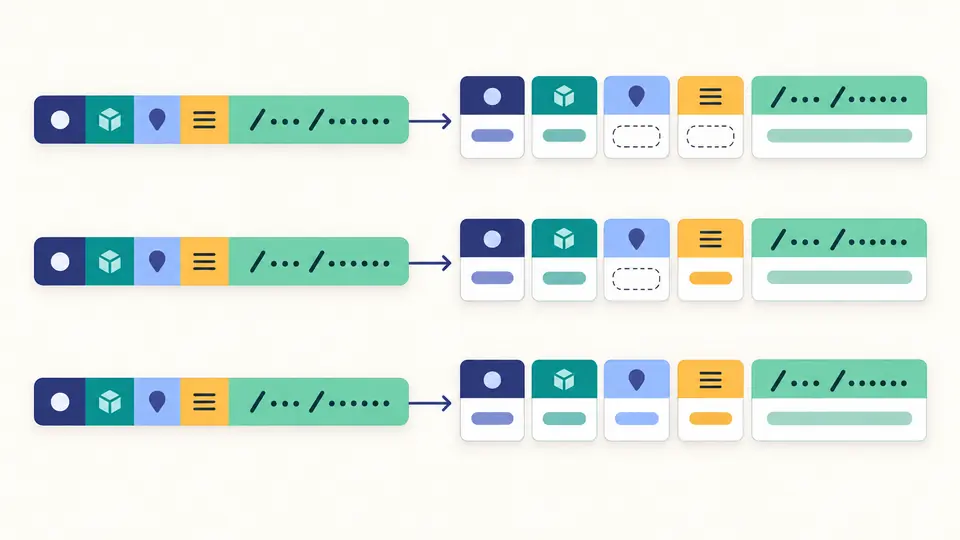
Use the three examples to compare S3, IAM and Lambda. Empty fields are displayed explicitly. The service note explains common conventions without treating every unusual value as a structural error.
Cloud tools
Inspect one ARN or a line-separated list, or assemble an ARN from five fields.
ARNs stay in this browser. No AWS request or credential is used.
Maximum 200 nonempty lines and 128 KiB of UTF-8 input. Results appear 50 at a time.
Structure only: service hints do not confirm resource existence, complete service syntax or IAM access.
Input changed. Run again before exporting.
AWS ARN parser makes a pasted identifier easier to review before it enters configuration. A Lambda alias, an IAM path and an S3 object key share an outer shape, yet their resource tails behave differently.
Keep the original next to its fields when troubleshooting a copied value. A clean structural result is a starting point for checking the service documentation, not evidence that the named resource can be used.
AWS ARN parser stops splitting after the fifth colon. An object key such as reports/quarter 1:final.csv retains its space and colon; a function version remains attached to the resource. You can inspect the boundaries without changing the identifier.
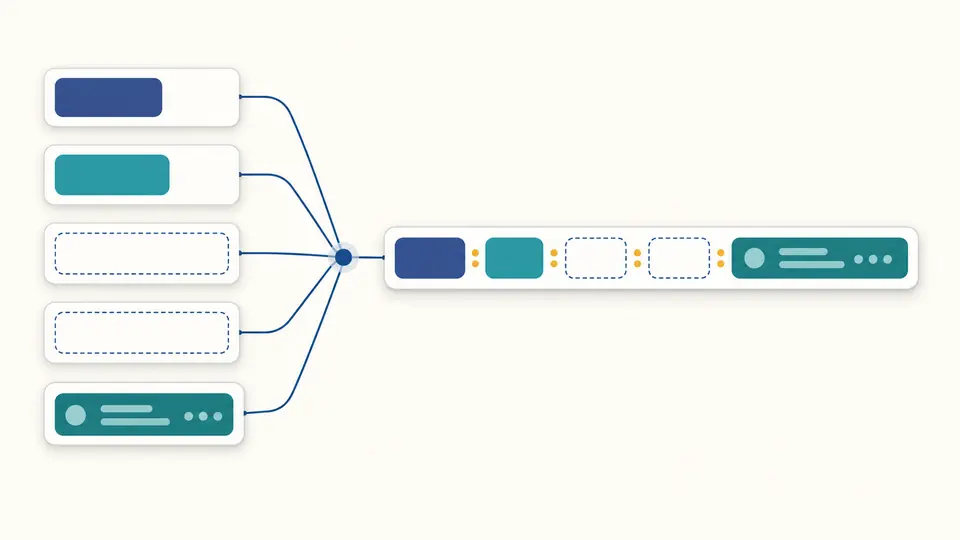
The ARN builder accepts the five outer fields directly. Leave region and account empty for an ordinary S3 bucket and the separators stay in place. No guessed resource type or extra slash is inserted.
Use the three examples to compare S3, IAM and Lambda. Empty fields are displayed explicitly. The service note explains common conventions without treating every unusual value as a structural error.
Automatic processing waits 350 ms after an edit. Turn it off to run with Ctrl/Cmd + Enter. Changing a field or mode immediately disables old exports; switching modes preserves each set of inputs.
Compare parsed rows with errors. A mixed batch can be copied as a JSON report, but ARN text is available only when every row parses. Show more reveals another 50 rows; downloads always contain the full report.
The ARN format is decomposed into partition, service, region, account and resource. The fixed arn prefix is checked separately. Paths, case, Unicode and trailing spaces inside resource stay exactly as entered.
Bulk ARN parsing preserves order and duplicate values. Blank lines are ignored while physical line numbers remain accurate. A malformed row stays in the report alongside successful rows instead of disappearing from the export.
S3, IAM and Lambda receive contextual notes. Account values such as aws are retained; unusual accounts and partition/region combinations prompt review. Unknown services still receive generic parsing without an invented validation badge.
Loading an example or clearing input opens a preview with the before/after count. Apply changes only the active mode. Undo restores both that input and its corresponding result, including whether the result was already stale.
Services define which fields are required. Ordinary S3 bucket and object ARNs leave both blank, while IAM usually leaves region blank. Other S3 resource types may include them, so use the exact service resource reference.
They belong to the service-specific resource syntax. IAM paths commonly use slashes, while Lambda qualifiers use colons. This tool preserves the entire resource tail instead of trying to apply one split rule to every service.
Some policy contexts allow * and ? in parts of an ARN; the permitted positions depend on the service and policy element. The report flags possible patterns and keeps them literal. It neither expands matches nor approves the policy.
Look in the resource details in the AWS console or use the relevant service API or CLI response. The AWS Service Authorization Reference describes the format. This workbench does not discover resources or retrieve ARNs from an account.
No. Parsing only identifies the outer structure and produces review notes. Existence and access depend on live AWS state and permissions, which this tool does not query. Verify those separately in the intended environment.
Still have a question?
Use AWS ARN parser to compare the literal identifier with its fields, then carry a complete report into your configuration review.