Cloud identifiers and connection details

Azure resource ID parserFollow every parent

Choose a resource ID, storage URL or connection string. Inspect its fields or build a string from structured JSON.

Azure resource ID parser

Input

Result

Inputs stay in this page’s memory. No Azure requests, uploads or saved history.

Options

Input always shows the original text. Masking applies to results, previews and exports; query values and unknown connection fields are hidden by default.

Use Edit fields to prepare the builder JSON. Applying the preview retains original field values. A copied report wrapper or [REDACTED] placeholder cannot be used as builder input.

Checks structure only, not resource existence, access or key validity. A single Blob path segment may be a container or a blob in $root.

Limits: 32,768 input characters, 100 query or connection pairs, 128 resource ID segments.

Structure ready. Resource state has not been checked.

A subnet ID identifies more than the subnet: its virtual network, resource group and subscription remain in the same string. The Azure resource ID parser keeps that chain visible when you inspect an assignment scope or prepare a configuration change.

Connection strings and storage addresses answer different questions. They can reveal an account name, endpoint or object path without containing a subscription ID. Choose the matching input type to see the information actually present, then edit the resulting fields when you need another string.

Why use this Azure resource ID parser?

Keep scope, hierarchy and credentials understandable while moving between strings and fields.

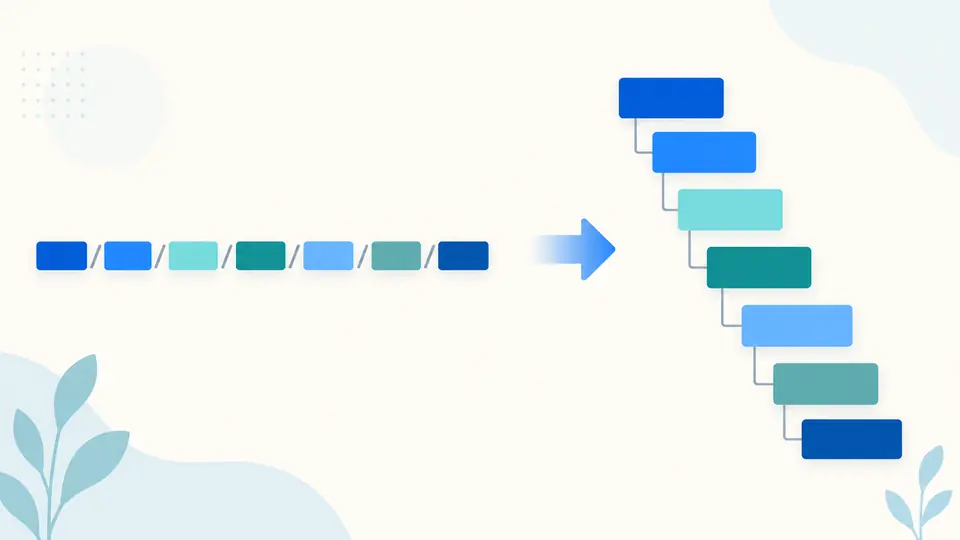
Keep parents attached to nested resources

Taking only the last two path segments loses the storage account behind a container or the network behind a subnet. The Azure resource ID parser retains every provider and type/name pair, so a resource-scoped extension stays attached to its original chain. Missing subscription or resource-group fields remain null instead of being guessed.

A long resource path unfolding into a tree with its parent and child levels preserved

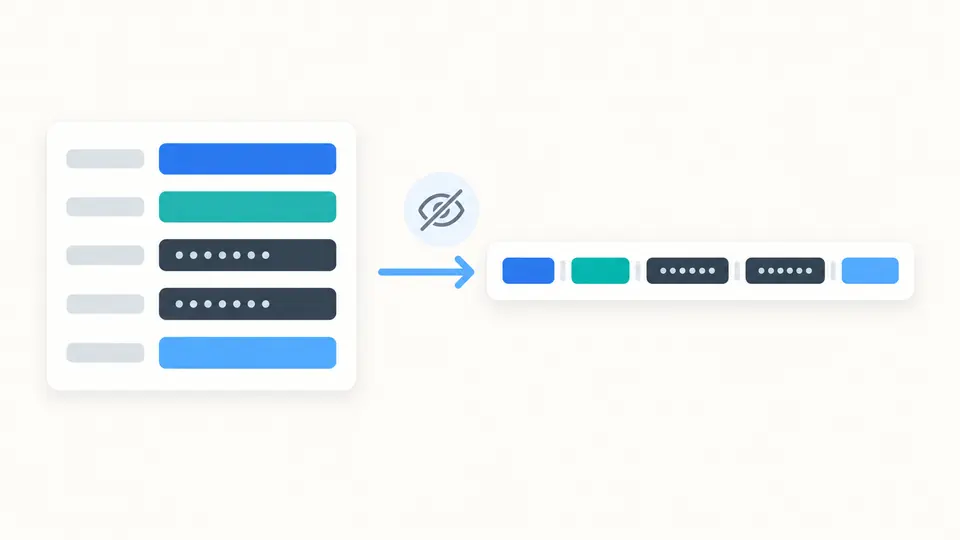
Rebuild a string with an explicit view of secrets

Inspect connection fields while account keys, query values and unfamiliar fields are masked in the result. Edit fields prepares a JSON draft using the original values after you apply its preview. The rebuilt string follows the same masking option as its copy and download, so the export does not silently reveal values hidden on screen.

Structured fields turning into a rebuilt string with credential values covered

Check the mode before changing fields

01

Match the input to its grammar

Select Resource ID for a slash-led ARM identifier, Storage URL for a standard service address, or Connection string for semicolon-separated fields. Changing the type rechecks your existing input; it does not replace it with an example. The Example button previews a suitable value for the selected type and direction.

  • A URL ending in one Blob path segment does not establish whether it names a container or a root-container blob.
02

Choose when the result updates

Auto run waits 350 ms after a change. Turn it off to reveal Run and execute with Ctrl/Cmd + Enter. Any input or option change makes the previous result stale immediately, including a change to masking; copying and downloading remain disabled until the current input is processed.

  • Turning auto run off cancels a pending calculation. Review the status before using an export.
03

Apply a field draft, then keep an undo point

After parsing succeeds, Edit fields previews the JSON expected by the builder. Apply switches to Build from JSON without discarding the underlying values. Example and Clear also preview their replacement sizes. Undo restores the preceding input and result after an applied replacement.

  • Use Edit fields instead of pasting the entire report: the builder expects the fields object, without details or reconstructed wrappers.

Three string formats, one inspection workflow

ARM scopes and provider chains

Parse Azure resource ID paths at subscription, resource-group, management-group or tenant scope, including the root slash. Nested child resources and repeated providers remain ordered. The details include the final resource type and name, scope and provider count; the subscription field is checked as a GUID.

Storage hosts with their original paths

An Azure storage URL identifies the account, service and cloud suffix. Blob, DFS, File, Queue and Table are recognized for public Azure, Azure China and Azure US Government, including secondary hosts. Path text, query order, repeated query keys, plus signs and percent encoding are retained rather than reformatted.

Connection fields without losing equals signs

An Azure connection string is split at semicolons and at the first equals sign in each field, preserving a key value that ends in ==. Storage and Service Bus or Event Hubs shapes are checked; duplicate keys are rejected even when their letter case differs. Explicit storage endpoints remain available as fields.

A resource identifier builder from inspectable JSON

Build each supported string from the corresponding JSON fields using the same structural checks as parsing. The builder rejects unknown or missing schema fields and masked placeholders. Parsing exports a JSON report; building exports a text string. Connection field order is kept, while surrounding field whitespace and a trailing semicolon are normalized.

What a successful parse does and does not prove

Structure is not a resource lookup
A well-formed ID does not prove that its resource exists, that a provider recognizes its type, or that the supplied identity has access. This tool does not validate every provider’s naming rules, sign requests, test credentials or retrieve a subscription’s display name. Use authenticated Azure tooling when those facts are needed.
Missing management fields stay missing
A storage account name in a URL or connection string does not encode its subscription ID or resource group. The parser cannot recover them from the account key. Supply known management fields yourself when constructing an ARM ID, and do not mistake an account name for a subscription GUID.
The URL host list is deliberately specific
The storage URL mode accepts standard public, China and US Government service hosts. Custom domains, private-link hosts, static website endpoints, Azure Stack and emulator URLs are outside that mode. A connection string may retain a custom HTTP(S) endpoint or localhost address; it is never visited or mapped to an account.
Masking does not erase the input
The original input remains visible in the input editor. Result and preview masking also applies to exports, including unknown connection fields and query values. Disabling it reveals those values. A [REDACTED] placeholder cannot be reconstructed into a secret and is rejected by the builder; use the retained field draft or your original values.
Connection syntax is limited to these service shapes
UseDevelopmentStorage=true is recognized and retained as a shortcut; it is not expanded into emulator credentials. SQL, JDBC, ODBC and quoted values containing semicolons are not supported connection grammars. SAS signatures are treated as text: their authenticity, permissions and expiry are not verified, and a shared sb endpoint is not proof of a specific messaging service.
Bounded input and exact path text
Each input is limited to 32,768 characters, 100 connection or query pairs and 128 ID segments. Builder arrays also allow at most 32 providers and 64 resources per provider, within the total segment limit. Excess input is rejected rather than truncated. URL dot segments and repeated slashes stay as entered; path splitting does not certify a container or directory exists. A parsed URL can fit while its expanded JSON exceeds the limit; Edit fields rejects that draft before replacing input.

Azure resource ID parser questions

How can I extract the resource group and resource name from an Azure resource ID?

Choose Resource ID and parse the complete identifier. In the result, fields.resourceGroup holds the group when one is present; details.resourceName holds the final resource name. The Azure resource ID parser also preserves all parents in fields.providers, which matters when the name belongs to a subnet, container or extension resource. A scope above a resource group correctly has no group value.

Can I get a storage account resource ID from its connection string?

Usually no. A storage connection string supplies data-access fields such as AccountName, AccountKey or service endpoints, without the subscription ID and resource-group name needed for an ARM ID. Those missing values require information you already have or an authenticated management lookup elsewhere. Once you know them, the builder can assemble the resource ID from explicit fields.

How do I find the path to a blob?

For a blob you can access, its properties in Azure Portal or Storage Explorer expose its URL. Paste that address in Storage URL mode to inspect the stored path and its segments. Preserve percent-encoded characters when editing. A single segment after the host can refer to a container or to a blob in the root container, so this tool reports the text without guessing the target.

Can I generate a blob URL without connecting to Azure?

Yes, when you already know the account, service, cloud suffix and correctly encoded path. Start with a storage URL example, choose Edit fields and update the JSON before building. This creates the address text only; it does not check the blob or grant access. Query values remain masked by default, so review that option before exporting a URL intended for use.

Why are storage connection strings different in the portal and PowerShell?

The same account can be described using default endpoint fields and an EndpointSuffix, or with explicit service endpoints. Different commands and client representations may serialize these choices differently. Compare the named fields and intended cloud rather than relying on string equality. A successful parse explains the supplied representation but cannot prove that two sets of keys or endpoints authorize equivalent access.

Have a supported string this parser cannot explain?

Inspect the next identifier

Use the Azure resource ID parser to follow a parent chain, review connection fields or prepare a string from an explicit JSON draft.

Confirm the selected format and masking option before copying your result.