Choose a resource name, GCS address or service account JSON. Inspect one value at a time.
GCP resource name parser
Resource, address or JSON
Inspection report
Processed in this browser’s memory. No input storage, upload, resource request or authentication.
Input interpretation
Relative or full paired resource name. No API version or REST self link.
One value · 65,536 UTF-16 units · resource 4,096 · object 1,024 UTF-8 bytes · JSON depth 100.
Input or mode changed. Parse again before exporting.
A GCP resource name parser helps when a log gives you a long identifier but your configuration asks for its project or parent. Keep those parts separate from a storage URL and from a credential file: they describe different things. This workbench gives each input type an explicit mode and an inspectable JSON report.
Why use this GCP resource name parser
Read a path as a hierarchy
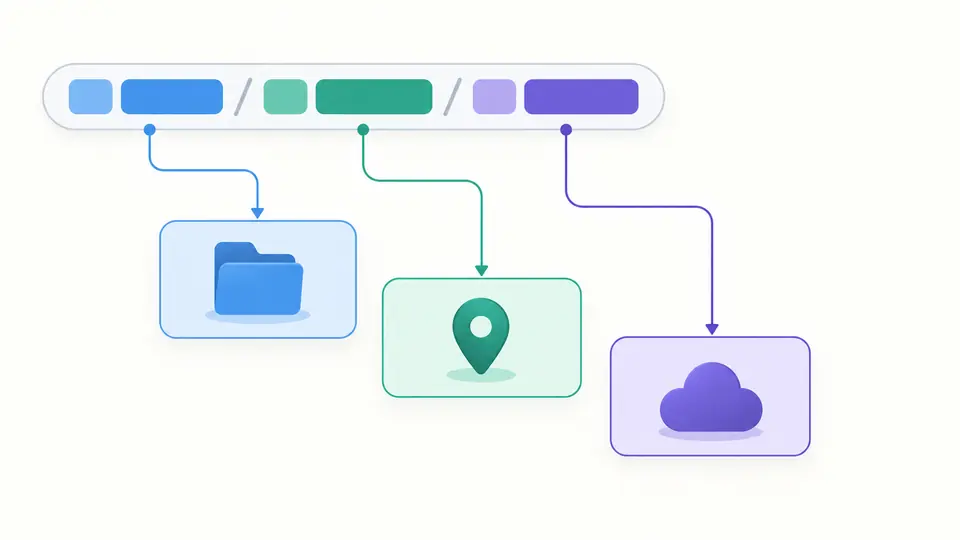
The GCP resource name parser keeps collection names paired with their IDs. A full name adds the service host; a relative name leaves that field empty. Parent and leaf are shown separately, and a numeric project token stays a number-shaped string rather than being guessed into a project ID.
Inspect metadata without exporting the key
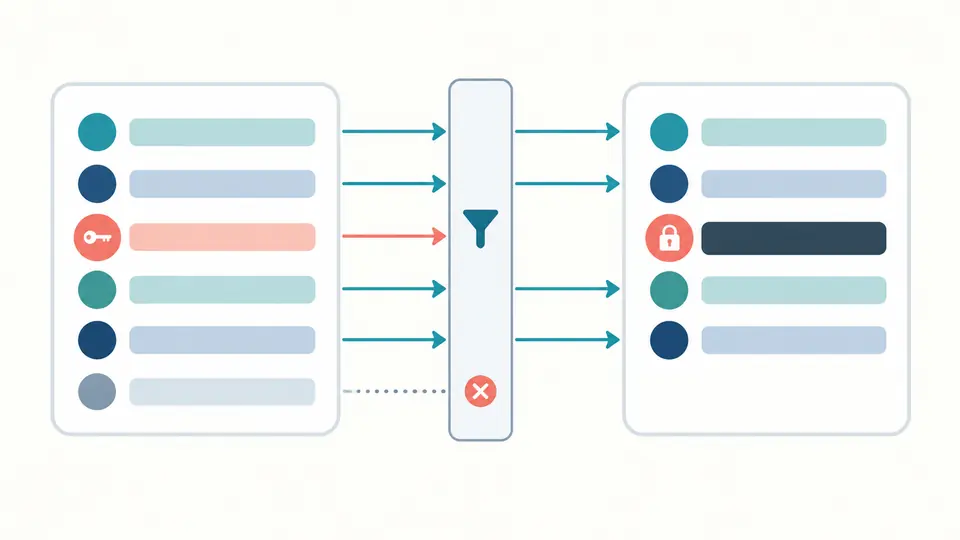
The service account view builds its report from a fixed field allowlist. It replaces private_key with a redaction marker and counts unknown fields without repeating their names or values. The original text remains in the input; inspect visible project and account metadata before sharing a report.
Choose the meaning before reading the result
01
Keep the mode explicit
Switching modes keeps your text and invalidates its old result. Resource names, GCS addresses and service account JSON have separate rules. Use Example to preview a fictional input for the currently selected mode before replacing your own text.
02
Check the percent sign
For gs to https conversion, the object part of gs:// is literal: %20 stays three characters and becomes %2520 in HTTPS. An HTTPS path is decoded exactly once. A plus sign remains a plus, and repeated slashes remain part of the object name.
03
Know when a report is current
Automatic parsing waits 350 ms after editing. Turn it off for the Parse button or Ctrl/Cmd + Enter. Edits immediately disable exports. Example and Clear require a preview; Undo restores the input and its previous result, including a stale result.
Three inputs, three kinds of evidence
Resource hierarchy and scope
Inspect Google Cloud resource names in relative form or with a //service.googleapis.com prefix. The report lists collection/ID pairs, parent, leaf and recognizable project, organization, folder and location scopes. It distinguishes a numeric project token from an ID without claiming that they identify the same project.
GCS URL converter with exact object spelling
Convert between gs:// and the standard storage.googleapis.com path endpoint. A DNS-compatible bucket also gets a virtual-hosted URL. Bucket, object and UTF-8 byte length remain visible. Dotted or underscore-containing bucket names use the path endpoint; no alternate host is guessed.
Service account JSON field checks
The service account JSON viewer requires the service_account type and essential string fields. It rejects duplicate JSON keys, unsafe numeric values and invalid HTTPS metadata URLs. PEM inspection checks the text envelope and base64 shape only. Optional known metadata is retained; unknown fields are counted.
Supported forms and deliberate limits
Structure is not a cloud lookup
A successful parse does not prove existence, permission, public access or a working credential. There is no project ID-to-number lookup. Region and zone values are shown as written, without consulting a service registry or confirming that a location belongs to the resource.
A generic paired-path profile
Resource mode requires alternating collection/ID segments with distinct collection names. It rejects REST self links, bare account emails, empty segments, wildcards, percent escapes, queries and fragments. Product-specific exceptions such as Compute global paths do not fit this profile; consult the owning API instead of treating rejection as a cloud verdict.
Only the listed storage endpoints
HTTPS input must use the path endpoint or a single DNS-label bucket on storage.googleapis.com. HTTP, explicit ports, credentials, signed queries, fragments, Firebase, JSON API, console and custom endpoints are rejected. Parameters are never silently discarded to produce an apparently equivalent URL.
Object names are not filesystem paths
Repeated slashes and literal gs percent signs are preserved. Dot segments, backslashes, controls and the reserved ACME prefix are rejected. Object names are limited to 1,024 UTF-8 bytes, using the flat-namespace budget. No generation or wildcard syntax is interpreted; a gs value is not an escaped shell command.
Redaction has a precise scope
Reports always omit the private key and unknown fields. Input and the single undo snapshot still contain the pasted text; the tool does not erase your original key or identify every secret hidden in metadata. There is no reveal switch, raw credential export, RSA validation, key revocation check, signing or authentication.
One bounded value
There is no file upload, batch mode or remote URL import. The total limit is 65,536 UTF-16 units; resource names are limited to 4,096. JSON depth is limited to 100 with the shared scanner’s node budget. Over-limit or malformed input blocks export instead of returning a truncated report.
GCP resource name parser questions
How can I find a resource from its full resource name?
A full name starts with a service host, followed by the relative resource path. The report separates that hierarchy so you can identify the service and parent. Actually finding the resource in a project requires the relevant console or API and suitable permissions; this page cannot establish that it exists.
How do I find the Cloud Storage gs URI?
In Cloud Storage, identify the bucket and the exact object name. Their gs form is gs://bucket/object. Select GCS mode to convert a supported HTTPS object address or inspect an existing gs value. A bucket alone is accepted too, but its URL does not refer to a particular object.
How can I get an HTTP URL for an object in a bucket?
For the supported XML API form, the path URL is https://storage.googleapis.com/bucket/object with the object correctly encoded. This tool generates that HTTPS spelling. It does not make a private object public, add a signature or remove the need for authorization; an access error is not an encoding diagnosis.
Can I get a Google Cloud project number from its project ID?
An ID and a project number are distinct identifiers. The parser can recognize an all-digit project token, but it cannot derive the corresponding ID or number from text alone. Use an authorized Google Cloud project lookup when you need that mapping, and preserve whichever identifier the target API requires.
Can I put a service account JSON file in GitHub?
Do not commit an actual private service account key to a repository. This viewer’s JSON export has the private key redacted, but visible metadata still needs review before sharing. If a real key has already been exposed, removing one copy is insufficient; follow Google Cloud’s key replacement and deletion procedure.