
Numbers, Bitwise & Units

Number base converterOne integer, every digit intact

Choose the source base and compare exact integer representations.

Number base converter

Input

Your input is processed in this browser and is not sent to a server.

Results

Options

One signed integer, bases 2–36. Input letters ignore case. Only outer ASCII spaces, tabs and line breaks are trimmed; internal separators are rejected.

Recognized mode accepts 0b/0o/0x only when matching the source base; other bases reject these prefixes. Literal mode reads every character as a digit, including b/o/x. Output prefixes stay lowercase, after the minus sign.

Maximum 4,096 digits, counting leading zeros; at most 8,192 UTF-16 code units before trimming. No fractions, scientific notation, text bytes or two’s complement. Valid letters in higher bases remain digits.

Enter input or choose an example to begin.

A Number base converter helps compare a decimal identifier with a hexadecimal log value without rounding a long integer. The source base gives the digits their meaning; an output format only changes their representation.

Use the binary converter for bit values, hex to decimal for a debugger value, or decimal to hex for an API field. A single result set keeps the common bases beside your chosen target.

Why use this Number base converter?

Compare equivalent representations

The Number base converter derives binary, octal, decimal, hexadecimal and the selected target from one integer. Changing the target does not change the mathematical value.

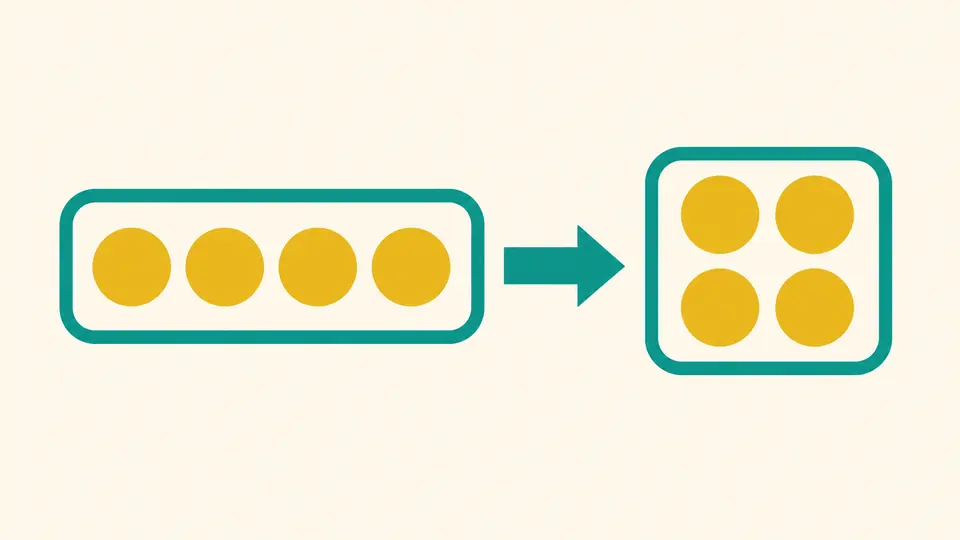
Four golden circles in a row on the left become the same four circles in a two-by-two arrangement on the right.

Preserve long identifiers

BigInt arithmetic retains digits beyond the safe range of ordinary JavaScript numbers. Leading zeros are normalized, so use this for values rather than fixed-width identifiers.

Two complete rows of colored blocks cross a transparent bridge, with a magnifying glass enlarging their ends.

Check the base before the digits

01

Set the interpretation

Start with decimal to hexadecimal, automatic conversion on, uppercase digits and no output prefix. Recognized prefixes must match the selected source base; choose literal mode when a prefix-looking sequence is part of the digits.

02

Refresh before exporting

Automatic conversion waits 350 ms after edits. Turn it off for the Convert button or Ctrl/Cmd + Enter. Input or option changes disable copying and downloads until a new result is ready.

03

Preview an exchange

Swap requires a fresh result whose target digits fit the input limit. Review the complete replacement and settings, then apply. It removes the output prefix, exchanges bases and selects literal mode. Undo restores the prior input, settings and results.

Exact conversion and reversible exchange

Any radix from 2 to 36

Read both letter cases and choose the output letter case. Keep 2/8/10/16 results visible beside the target without converting through floating-point numbers.

Explicit prefix interpretation

Recognized mode treats leading 0b, 0o and 0x as prefix markers and checks the source base. Literal mode treats every character as a digit, resolving values such as 0x10 in base 36.

Complete text and report exports

Copy or download the entire target as TXT. The JSON report contains 2/8/10/16 and the target, numerical values stored as strings, and the options snapshot used for conversion.

Reviewable input changes

Swap, Example and Clear use a preview before replacement, followed by Undo. Swap preserves the value by carrying canonical signed digits into the exchanged source base.

Accepted syntax and size limits

Digits and signs
Enter one integer using 0–9 and A–Z, case-insensitively, with each digit valid for the source base. A single + or - may appear only at the start. Leading zeros and negative zero normalize; negative values use a mathematical minus sign, not two’s complement.
Two prefix modes
In recognized mode, 0b/0o/0x, in either case, must match source 2/8/16 respectively; every mismatch is rejected, even when those characters would be valid digits. Literal mode strips nothing and validates all characters as digits.
Whitespace is not grouping
Only ASCII space, tab, CR and LF are trimmed at the two ends. Internal whitespace, commas and underscores are rejected. There is no batch input, byte encoding, fractional conversion or floating-point interpretation; 1e3 is invalid in base 10 but valid digits in base 16.
Input limits
At most 4096 digits including leading zeros, excluding trimmed edges, the sign and a recognized prefix. In literal mode prefix-looking characters count as digits. Raw input is limited to 8192 UTF-16 code units. Oversize input is rejected before conversion.
Output formatting
Letter case changes digits only. Optional prefixes stay lowercase and appear only for bases 2/8/16; the sign goes first, as in -0xFF. Other bases get no prefix. Full output may exceed 4096 digits and is never numerically truncated.
Exchange and exports
Swap is unavailable for stale results or target output longer than 4096 canonical digits. Eligible swaps preview all settings and switch prefix mode to literal. Copy, TXT and JSON retain complete results; changing input or options blocks export until refreshed.

Number base converter questions

How do I convert between number bases?

Choose the base in which your integer is written and a target from 2 to 36. Enter the digits and compare the selected result with the common-base rows.

What is the maximum base supported?

The maximum is 36 and the minimum is 2. Values use ten decimal digits and up to 26 Latin letters; no custom digit alphabet is accepted.

How do I convert a negative number to binary?

Keep a leading minus and choose base 2 as the target. Decimal -5 becomes -101. A fixed-width two’s-complement bit pattern would require a separate width choice and is not produced here.

Why does JavaScript’s parseInt give me a different answer?

parseInt returns a Number, so large integers can lose precision; it can also stop at an invalid character. Here the entire input is checked and the value is accumulated with BigInt.

Why does the base selector stop at 36?

Beyond 36, the 0–9 and A–Z alphabet would need more symbols and new case rules. This tool keeps the familiar case-insensitive alphabet.

Something looks wrong?

Use the Number base converter

Try the Number base converter with a known value, confirm the source and prefix mode, then keep the full target or JSON report.