JSON tools

TOML to JSONinspect dates and numbers before exporting

Try tables, repeated server entries and a large identifier. Dates become strings; unsafe integers become strings by default.

TOML to JSON

JSON to TOML

TOML input

Processed in this browser. Your input is not uploaded or stored.

JSON result

Output options

Type mapping preview

Result is out of date; export is disabled.

TOML to JSON is useful when a configuration file needs to feed an API, a fixture or a script that expects JSON. A section becomes an object, while double-bracket [[table]] headers become an ordered list of objects.

Before converting Cargo.toml to JSON, separate syntax from application meaning. This page maps data types; it does not decide whether a package manifest or deployment configuration contains the right fields.

Why use this TOML to JSON converter?

See where each table lands

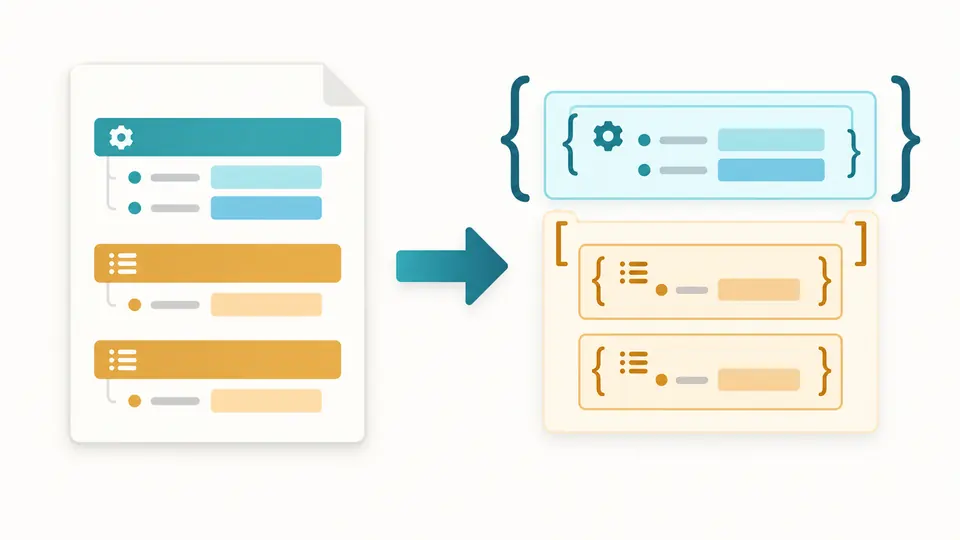
TOML to JSON resolves table scope before writing braces. An item under [[servers]] stays in that array entry, and a quoted "api.version" remains a single key rather than an extra nested object.

Named table sections become nested objects, while two repeated sections become an ordered array of two objects.

Make type changes visible

The type preview distinguishes ordinary numbers, large integers written as strings, date strings and null replacements. You can spot a changed representation by its JSON Pointer without searching through a long output document.

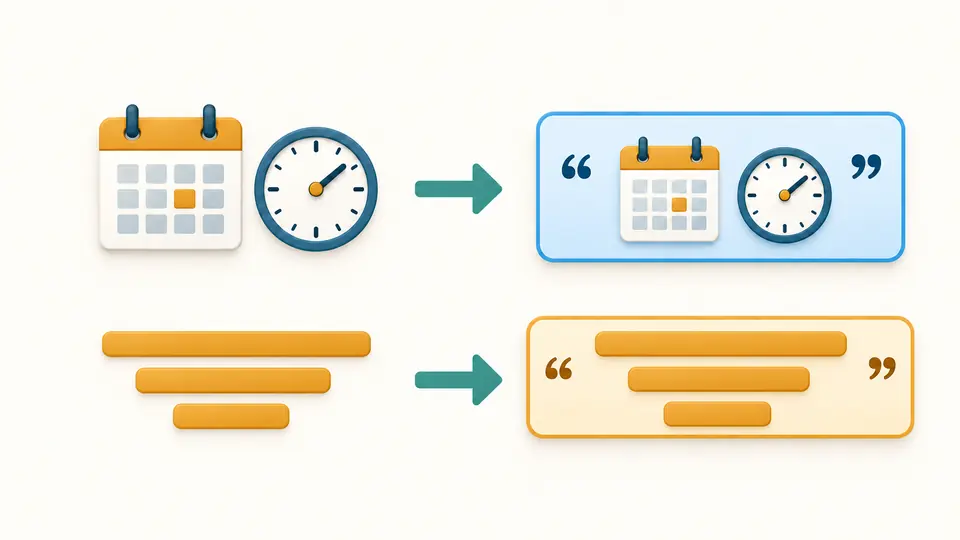
A calendar value and a long identifier each pass into a quoted string field in a JSON document.

Choose the policies before sharing a result

01

Keep identifiers readable by your consumer

The default writes integers outside ±9007199254740991 as decimal strings. Choose Reject if your receiving schema requires numbers and a changed type should stop the conversion. Integers beyond signed 64-bit range always fail.

02

Decide what missing numeric values mean

NaN and infinity are valid TOML float values but are absent from JSON. Rejection is the default. The explicit null option also handles overflowing floats; the null count shows how many output values were replaced.

03

Control refresh and inspect paths

Automatic conversion waits 350 milliseconds. Disable it to use Convert or Ctrl/Cmd+Enter. Editing source or options immediately disables export. The preview shows 50 more nodes at a time, up to 500, while download includes the complete result.

Tables and scalar types, mapped explicitly

Tables, inline objects and mixed lists

Dotted keys and ordinary tables become nested objects. Arrays of tables retain item order and the scope of child sections. Empty tables remain {}, empty lists remain [], and lists containing multiple supported types stay mixed.

Integer values without rounding

The parser reads every integer as BigInt before applying the selected policy. Decimal, hexadecimal, octal and binary input normalize to decimal output. Separators disappear; accepted large values retain their exact digits as strings.

Four date and time forms

Offset date-times retain the authored offset. Local date-times have no added zone; date-only and time-only values keep those forms. Output uses ISO strings with millisecond precision where there is a time; finer fractional seconds are truncated.

Location and type information

Syntax failures show the parser’s line and column and highlight the input line. Numeric policy failures identify a JSON Pointer instead. The preview escapes / as ~1 and ~ as ~0, so unusual property names remain unambiguous.

What changes or needs a separate check

Parser version and known exceptions
This tool uses smol-toml 1.8.0, which targets TOML 1.1. It is not a complete calendar or Unicode validator: some invalid dates normalize, including 2023-02-30 to 2023-03-02. Not every invalid Unicode sequence is rejected.
Floating-point limits
Floats use IEEE 754 numbers and may round or underflow to zero. An integral float such as 1.0 becomes 1, and negative zero becomes 0. Infinity, NaN and overflow either stop conversion or become null according to your choice.
Syntax is not preserved
Comments, original spacing, quote style, numeric bases and original numeric spelling disappear. JSON has no date type, and large-integer strings need an agreed receiving schema. Do not assume a lossless round trip or unchanged key order.
One bounded text document
Input is limited to 500,000 characters, depth 100 and 50,000 nodes; output to 2,000,000 characters. There is no file upload, remote URL fetch, batch mode or saved history. A comments-only document produces {}.
No repairs or application migration
Duplicate keys and invalid TOML syntax fail rather than being repaired. No fields are deleted or sorted, and no Cargo or Poetry schema is checked. The reverse-tool link opens a separate page without sending the current input or result.

TOML to JSON questions

How do tables become JSON arrays?

Ordinary [table] sections become objects; repeated [[table]] sections become arrays of objects. TOML to JSON preserves array order and attaches nested sections to the current parent item. A normal table does not become an array just because it contains several keys.

What happens to TOML dates and times?

JSON has no native date value, so dates and times become strings. Local forms remain local and explicit offsets are retained. Times use milliseconds, so additional fractional digits are truncated. Check calendar validity separately because the parser can normalize some invalid dates.

Which output formats are available?

The result is always JSON. Choose two spaces, four spaces or compact output; this changes whitespace, not the mapped values. Copy and download include all values even when the type table displays only the first 500 nodes.

How are inf and nan handled?

This page rejects them by default, with a path identifying the first affected value. Choose the null policy only when null is acceptable to the receiving application. No value is removed from an array or object.

How can I locate a TOML parsing failure?

The error line and column refer to the TOML input, and the editor highlights that line. Policy errors instead report a JSON Pointer because the parser does not provide source positions for decoded values. After a failure, an earlier result remains unavailable for export.

Found a configuration with an unexpected result?

Review your next configuration

Use TOML to JSON to compare the example’s dates and identifier with the output types, then convert your own document.