01
Use content instead of the filename
Auto detection examines each input separately, so .crt and .cer can contain either encoding. Paste PEM only; add binary DER as a file. When mixing inputs, pasted blocks precede the added files.
SSL / TLS Certificates
Paste PEM blocks or add certificate files. Choose PEM for a combined bundle, or DER for individual binary downloads.
Paste complete CERTIFICATE blocks. Binary DER belongs in the file picker. Pasted blocks come before added files.
Certificates stay in this browser’s memory. Nothing is uploaded or saved in browser storage.
Up to 2 MiB total, 100 files and 100 certificates. All inputs must pass before export.
Parsing and conversion do not verify signatures, trust, expiry or hostnames.
Paste a certificate or choose a file.
A certificate converter helps when the receiving application asks for an encoding different from the file you received. Renaming a .cer file does not turn binary data into text. Inspect the actual content, keep the public certificate separate from its key, and check the number of certificates before handing the result to another system.
This certificate converter preserves the original DER bytes. PEM to DER removes the text envelope; DER to PEM adds Base64 and certificate boundaries. Neither direction edits the public key, signature or signed certificate fields.

A PEM chain can contain more than the first certificate. Every accepted block appears in its original position, including duplicates. Download the selected item to split the bundle, or export all of them together as PEM.
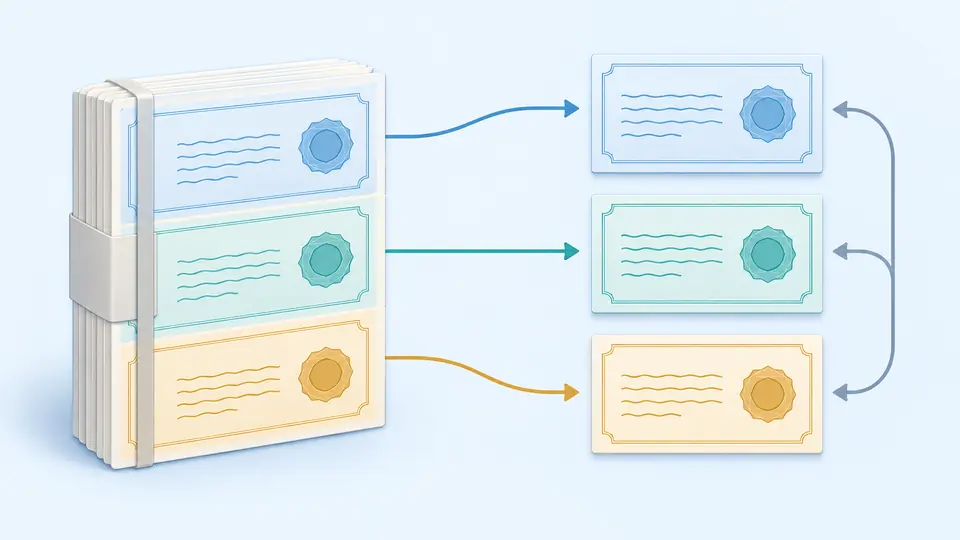
Auto detection examines each input separately, so .crt and .cer can contain either encoding. Paste PEM only; add binary DER as a file. When mixing inputs, pasted blocks precede the added files.
Compare the certificate count, subject and fingerprint with what you expected. The two-certificate example demonstrates splitting. A malformed second block blocks the whole export; it is never silently skipped.
PEM exports the full bundle, while the selected-certificate action saves one item in the chosen target format. Turn automatic conversion off to use Convert or Ctrl/Cmd + Enter. Any input or format change disables old exports immediately.
Import one DER certificate per file or multiple labeled PEM blocks. The X.509 parser checks certificate structure before generating results. A string that merely happens to decode as Base64 is insufficient.
Combine multiple local files and pasted blocks without deduplication or chain sorting. The output uses 64-character Base64 lines and LF endings. CRT to PEM follows the file content, not a guessed extension mapping.
Each entry includes its DER length, serial number and SHA-256 fingerprint. Compare fingerprints before and after transfer to identify the exact certificate. The subject uses attribute OIDs so unfamiliar attributes are not renamed incorrectly.
DER is the binary encoding of the certificate. PEM contains those bytes as Base64 between CERTIFICATE boundary lines. A matching fingerprint after a round trip confirms unchanged certificate bytes, even if line endings differ.
Yes. Moving a public certificate between PEM and DER needs no private key. Do not add a key to complete this operation; key blocks are rejected rather than exported with the certificates.
A relying application may need intermediate certificates alongside the server certificate. You can combine the public certificates you already have into PEM. This tool neither fetches missing issuers nor determines the deployment order for you.
PEM and DER are supported for X.509 certificates. The .crt and .cer suffixes can refer to either encoding. P7B and PFX are different containers, even when their contents include certificates.
That requires a PKCS#12 packaging tool and, for a server identity with a private key, the corresponding key and password handling. This version does not create or open PFX; first export your public certificates, then use a suitable local tool.
Is a certificate conversion case missing?
Return to the certificate converter, confirm the source count, and download a PEM bundle or one DER certificate. Keep the original files until the receiving application has accepted the result.