
SSL / TLS / Certificates

certificate hostname matcherwith the matching reason

Compare a SAN list or one PEM certificate against hostnames and IP addresses, one target per line.

certificate hostname matcher

SAN list or PEM certificate

Target hostnames and IP addresses

Name coverage report

Inputs stay in this browser. No certificate upload or connection to the target is made.

Source and report options

SAN list: DNS:name, IP:address or IP Address:address. Targets: one bare hostname or IP per line.

Up to 100 SANs and 100 targets; 65,536 characters per field. Results appear 50 rows at a time.

Name coverage only. No CN fallback, trust, expiry, revocation or public-suffix checks.

Input changed. Match again before exporting.

A certificate hostname matcher helps investigate a certificate name mismatch before changing a server configuration. A familiar domain in the certificate subject is not enough: the requested identity must be covered by a SAN of the right type.

Use the mixed example to see the difference between a missing name, a wildcard at the wrong depth and an input that is not a hostname. The report keeps those outcomes separate so an invalid URL cannot look like an ordinary uncovered domain.

Why use a certificate hostname matcher?

See where the wildcard stops

The certificate hostname matcher treats *.example.com as exactly one extra label. api.example.com can match; example.com and deep.api.example.com cannot match that wildcard. An explicit SAN can still cover either name.

A wildcard identity branches to one child with a check, while the root and deeper child have crosses

Keep DNS and IP identities separate

A DNS entry containing 192.0.2.1 is not an IP address SAN. IP targets follow the IP path; internationalized DNS targets are converted to ASCII before name comparison, with the normalized value visible in each result.

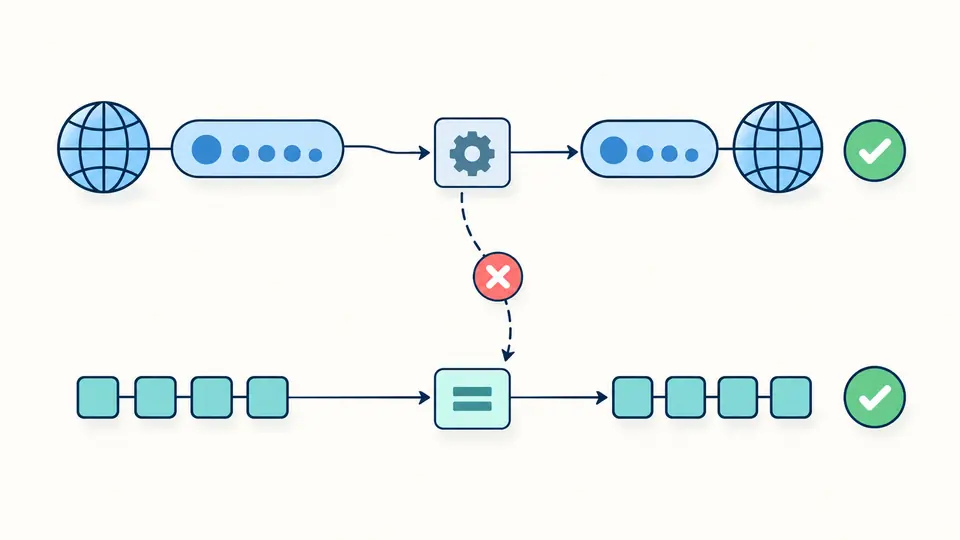
A domain identity passes through normalization while an IP identity follows a separate equality check; crossing types is rejected

Check the identity before the verdict

01

Choose the source deliberately

The SAN hostname check accepts DNS:, IP: and IP Address: entries separated by newlines or commas. PEM mode accepts one complete certificate block, not a chain.

  • The two source fields retain their contents when you change mode.
02

Inspect the normalized target

Write bare hostnames or bare IP addresses, without a scheme, port, path, brackets or IPv6 zone ID. One terminal DNS dot is removed for comparison.

  • Unicode targets use UTS #46 nontransitional processing; certificate DNS entries must already be ASCII A-labels.
03

Export the current report

Auto matching waits 350 ms after an edit. Turn it off to use the match button or Ctrl/Cmd + Enter. Any input change disables exports until matching finishes.

  • The screen shows 50 rows at a time; JSON and CSV include every target, including invalid rows.

Typed evidence for every target

Batch outcomes with evidence

Each target keeps its physical input line, normalized identity, match status and reason code. A successful row also names the SAN that matched. Duplicate targets remain separate diagnostic rows.

IPv6 notation without type confusion

Compressed and expanded spellings of the same IPv6 address compare equally. An IPv4-mapped IPv6 value remains IPv6 and does not match a four-byte IPv4 SAN. No IP wildcard or network-prefix matching is performed.

Reports for follow-up work

Copy or download JSON for the complete report, including parsed SANs and ignored type count. CSV exports target rows with stable field names and reason codes; formula-like cells receive a protective apostrophe.

What this comparison can establish

Name coverage only
No signature, trust chain, expiry, revocation, TLS configuration or website availability is verified. A self-signed or expired certificate can have matching names; this report does not declare a certificate safe.
SAN only, with a narrow identity scope
There is no Common Name fallback. URI, email, SRV and other certificate SAN forms are counted as ignored. An absent DNS/IP SAN produces no coverage, even when the subject has a familiar CN.
Strict SAN input
SAN DNS values must be ASCII, without a final dot. A wildcard must occupy the entire leftmost label. Unicode SANs, partial wildcards and malformed IP entries stop the batch; this diagnostic policy is stricter than clients that ignore an invalid entry.
Bounded input and explicit errors
Each active source and target field accepts 65,536 UTF-16 code units. There are at most 100 SAN entries and 100 nonempty targets. Blank lines are ignored; a bad target is reported individually, while a bad source prevents export.
No public-suffix or issuer policy check
Patterns such as *.com are evaluated only by the documented name rule. Matching does not mean a CA may issue that certificate. There is no public suffix list, browser compatibility simulation or DNS lookup.
One certificate, no input repair
PEM chains, CSR requests, DER files, private keys and URL fetching are outside this tool. Example and clear actions preview the replacement and counts; one undo restores both input and result.

Certificate hostname matcher questions

What wildcard patterns are allowed in a SAN?

Only one star, occupying the complete leftmost label, is supported: *.example.com. It matches exactly one nonempty label. www*.example.com and *.*.example.com are source errors, not glob patterns.

Does a wildcard certificate also cover the root domain?

The wildcard alone does not. *.example.com matches www.example.com but not example.com. Add a separate DNS:example.com entry to cover the apex, then check the two targets independently.

Can a SAN contain a wildcard IP address?

No. An IP SAN contains one exact IPv4 or IPv6 address. Use IP:192.0.2.1, not IP:192.0.2.*. A DNS entry that happens to contain dotted numbers cannot substitute for an IP SAN.

What does “No subject alternative names present” mean?

The certificate lacks the SAN evidence needed for this check. This tool does not use the subject Common Name as a substitute. Supply a certificate with the appropriate DNS or IP SAN rather than disabling hostname verification.

How do SAN and wildcard certificates differ?

SAN is the extension that can hold several named identities. A wildcard is a DNS naming pattern that can appear inside that extension. One certificate can therefore have exact names, wildcard DNS names and IP entries together.

Still have a question?

Review the names before changing deployment

Use the certificate hostname matcher with the exact hostname your client requests, review the matching SAN and reason, then save the report before changing a certificate or endpoint.