CSV / TSV

CSV delimiter converterchange separators without splitting cells

Convert delimited text with explicit quoting, record endings and file encoding.

CSV delimiter converter

Source text

Text and files stay in this browser; nothing is uploaded.

Converted text

Delimiter and output settings

Parsed table preview

RecordColumn 1Column 2Column 3
1idnamenote
2007AdaParis, France
3003Gracetwo lines
4010Lin

Showing 4 of 4 records. Export includes every record.

1 converted; 0 failed.

4 records, 3 columns, 68 UTF-8 bytes.

Use the CSV delimiter converter when a destination expects tabs but your export uses commas. The parser reads complete fields first, so a comma inside a quoted address stays part of the address.

Change CSV delimiter settings for one pasted table or a batch of local files. CSV to TSV and TSV to CSV share the same controls; a semicolon CSV needs only a different source separator.

Why use this CSV delimiter converter

Preserve the table behind the text

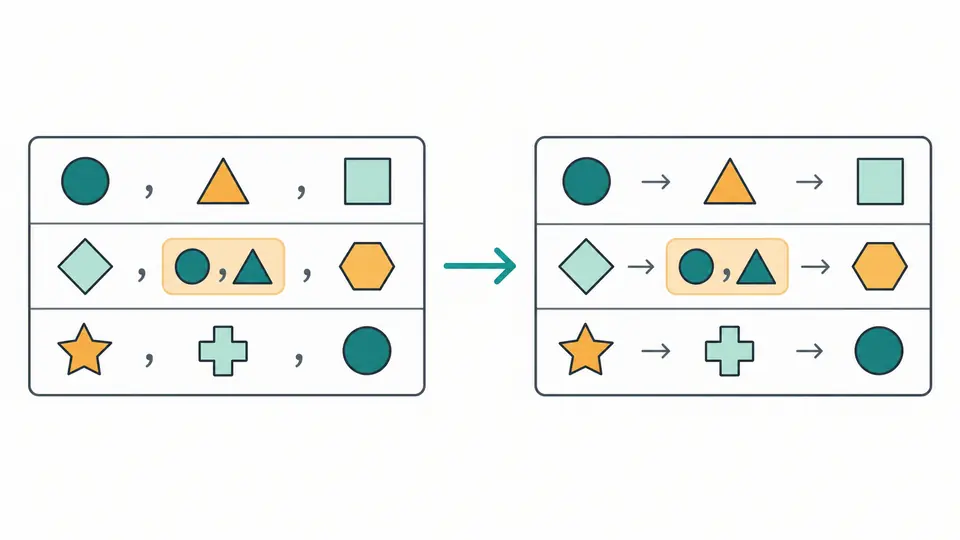
A global comma replacement can split an address or alter a quoted note. The CSV delimiter converter separates record structure from field content, then writes the same strings using the chosen target separator.

A comma inside a quoted value remains in one cell while separators between cells change

Keep batch failures separate

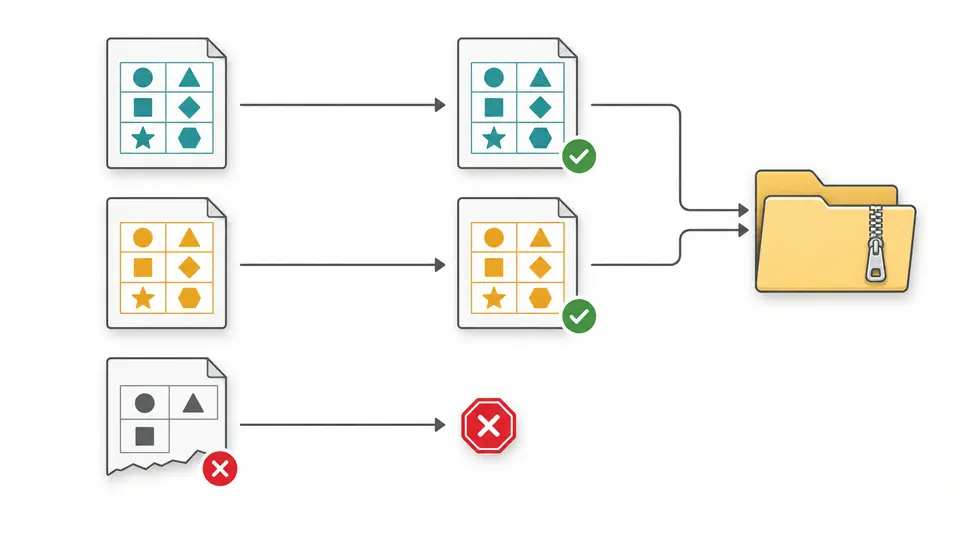
Files are converted independently with shared settings. Inspect each result, correct failed inputs and download successful outputs together as a ZIP. A malformed file does not become an empty success or merge into a neighboring table.

Separate source tables produce independent outputs, with valid files collected into one archive

Check the format before exporting

01

Resolve uncertain detection

Automatic source detection considers comma, tab, semicolon and pipe. If several choices fit, select the intended separator yourself. A single-column table also needs an explicit source choice; custom separators are never guessed.

02

Choose quoting for the receiving application

Required quoting protects separators, double quotes, empty fields and embedded newlines. No-quotes mode rejects these fields instead of deleting characters. TSV output uses CSV-style quotes, so confirm that the receiving parser supports them.

03

Distinguish preview size from export size

The table initially shows 50 records; reveal 50 more as needed. Copy and download include every record. Changing mode, input or settings makes old results unavailable for export until conversion completes again.

Control the serialized text

Custom source and target characters

Each delimiter can be one Unicode scalar, including an emoji. Quotes, control characters, line breaks and BOM are prohibited; choose Tab through its dedicated option. Source and target can use different characters.

Record endings and BOM

Choose LF, CRLF or CR between records. Newlines inside quoted fields retain their original characters. Output is UTF-8 with an optional BOM; changing record endings does not normalize cell content.

Automatic or manual conversion

Automatic conversion starts after a short pause. Turn it off to reveal Convert and use Ctrl/Cmd+Enter for a manual run. Feedback reports successes and failures, while a selected failed file retains its error details.

Review replacements and undo

Loading an example, clearing input or choosing replacement files opens a preview with character and file counts. Apply accepts it; Cancel keeps the current source. Undo restores the previous source, options and output together.

Format boundaries and resource limits

Strict rows and quotes
Every record must have the same field count. Incorrect quotes and uneven records fail; blank lines are not silently deleted or padded. Select a source delimiter explicitly to obtain precise parsing errors when detection is uncertain.
Bounded files and results
Each original file, decoded UTF-8 text and UTF-8 output must fit 2 MiB. Each table allows 2,000 records including any header and 100 columns. A batch allows 20 files and 10 MiB of original file bytes in total. Quoting can enlarge output beyond its separate limit.
Supported file encodings
Read UTF-8 or UTF-16 marked with a BOM. Files without a BOM are read strictly as UTF-8; unmarked UTF-16 and legacy encodings are not detected. Invalid UTF-8 and UTF-32 are rejected. Output always uses UTF-8; there is no arbitrary encoding selector or repair of already corrupted text.
Strings stay strings
Spaces, leading zeros, dates and decimal punctuation remain unchanged. There is no trimming, deduplication, type inference or column editing. Formula-like fields are counted but neither executed nor neutralized; a spreadsheet may interpret them after import.
Quoting can change the bytes
Minimal and all-field quoting may rewrite the original quote layout. No-quotes output is rejected whenever quoting is needed, including empty cells. This preserves parsed values, not byte-for-byte source formatting.
Only delimited text
JSON, YAML and XLSX conversion belong to other tools. This page does not fetch URLs, merge files, save a history or persist a session. Choose a related tool when you need a different data model or table cleanup.

CSV delimiter converter questions

How can I change a CSV file to TSV?

Choose comma as the source and Tab as the target, or keep automatic detection when it finds one clear separator. The CSV delimiter converter previews the parsed records so you can check quoted addresses before downloading TSV.

Will the output retain quotation marks?

The output quote policy controls that. Required quoting adds quotes only where needed; all-field quoting surrounds every value. Quotes within quoted fields are doubled. No-quotes mode fails on unsafe values rather than producing ambiguous text.

Can a semicolon-delimited file be converted?

Yes. Select Semicolon as the source, then choose comma, Tab or a custom target. Decimal commas inside fields remain commas; the tool changes field boundaries, not number formats.

Can TSV be converted back to CSV?

Yes. Select Tab as the source and Comma as the target. The same strict quoted-field rules apply in both directions. A TSV reader that simply splits on tabs may not understand quoted tabs or multiline fields.

Can this also change the character encoding?

Only within the supported path: UTF-8 or BOM-marked UTF-16 input becomes UTF-8 output, optionally with a BOM. It cannot guess Windows-1252, repair already corrupted text or produce another legacy encoding.

Did a file behave differently than expected?

Match the format your importer expects

Try the CSV delimiter converter with a quoted value, inspect its column position and export only after the target separator and quote policy are correct.