01
Set the record boundary
Choose the separator and whether the first record is a header. A quoted newline belongs inside its cell. Only a single empty-field record can be expanded to the table width; other mismatched records stop the preview.
CSV / TSV
Build a sequence of row and column operations, then review and apply it as one change.
Your CSV stays in this browser; no data is uploaded.
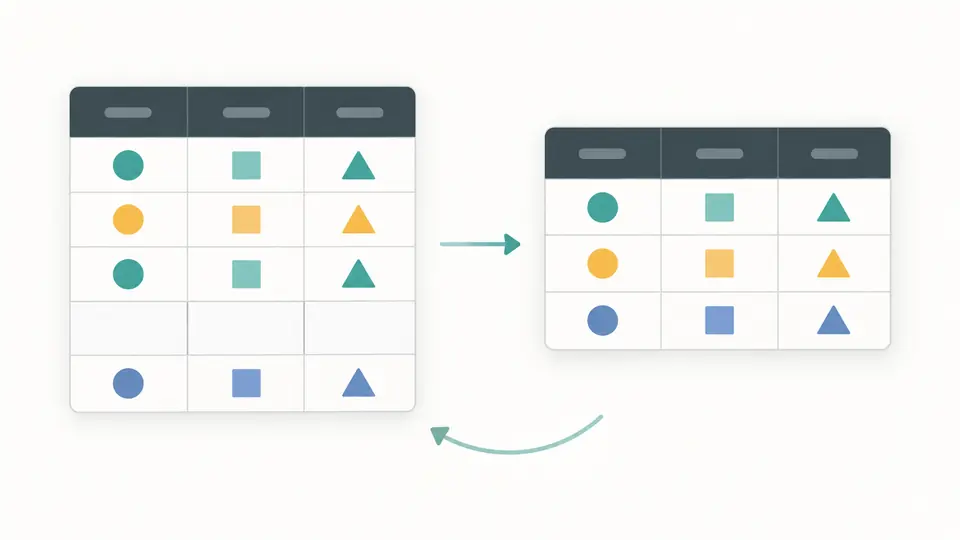
| Row | Column 1 | Column 2 | Column 3 |
|---|---|---|---|
| 1 | id | name | team |
| 2 | 007 | Ada | Blue |
| 3 | 003 | Grace | Red |
| 4 | 007 | Ada | Blue |
| 5 | |||
| 6 | 010 | Lin | Blue |
Use 1-based positions at this step, separated by commas. Leave blank only for whole-row deduplication. Reorder must list every column once.
No cleaning steps yet. Add an operation, then preview the complete sequence.
Search is case-sensitive and never changes the exported rows.
Input or steps changed. Preview and apply before exporting.
A contact export can contain repeated IDs alongside fields you no longer need. The CSV cleaner lets you choose the comparison columns and inspect which records survive before replacing the source.
Clean CSV online when an import expects a different column order or a smaller set of records. Values remain strings, so account codes with leading zeros keep their meaning while you reshape the table.
Sorting before deduplication changes which matching record comes first. The CSV cleaner executes your steps in order and keeps that first occurrence. Preview the row counts before accepting a sequence that removes duplicate rows.
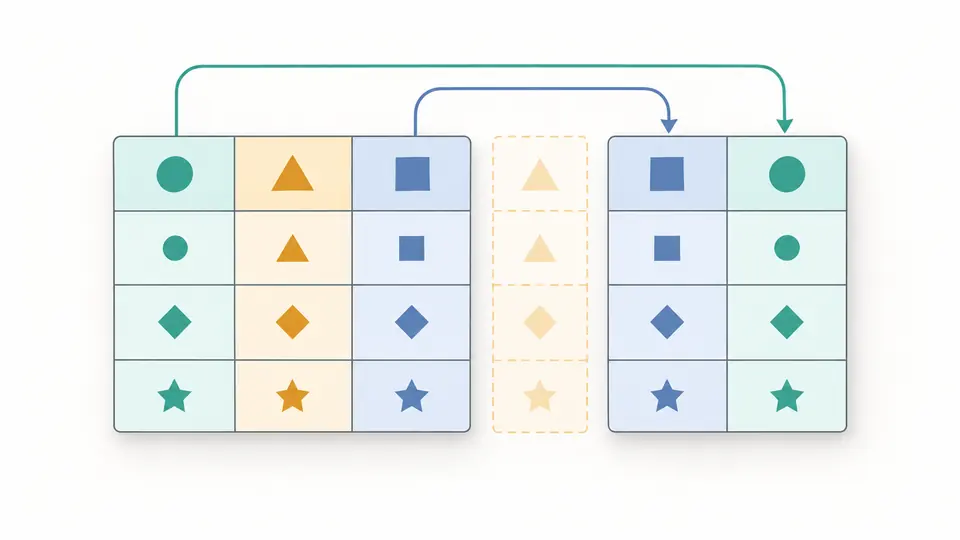
Extract the third and first columns in that order, then rename the new first header. The preview makes the resulting structure visible. Each later operation refers to the positions that exist at that point in the sequence.
Choose the separator and whether the first record is a header. A quoted newline belongs inside its cell. Only a single empty-field record can be expanded to the table width; other mismatched records stop the preview.
Column numbers start at 1 and refer to the current step. Extracting 3,1 makes the original third column become column 1. A reorder step must name all current columns exactly once.
Preview manually or press Ctrl/Cmd+Enter. Applying replaces the source and clears the steps. Undo restores the previous source, result and steps. Search narrows the displayed table only; downloads include the full applied result.
Select one or several current columns, or leave the selection blank to compare the entire row. Matching preserves case, whitespace and empty key values. The first occurrence at this step remains.
Filter CSV rows by contains, does not contain, equals, differs, empty or nonempty on one column. Consecutive filter steps narrow the result further; changing the table search never adds a filter step.
Extract an ordered subset, remove unwanted columns, rename a header or reorder CSV columns completely. Header names may repeat because steps use positions, not a name-to-value object.
Sort a selected column ascending or descending with stable string comparison. Equal values retain their relative order. The preview reports removed rows, moved rows, removed columns and changed cell positions for each step.
Yes. Enter a comma-separated list of current column numbers, such as 1,3. The combination is the key: every selected value must match. Leave it blank for whole-row comparison.
Deduplication preserves the order at that step and keeps the first match. An earlier sort can change that order. To preserve the original record order, omit sorting from the sequence.
It removes records whose cells are all empty strings. Whitespace-only cells remain. The CSV cleaner reports removed records; a quoted newline within a cell is not a separate empty record.
Enable the first-record header option, add Rename a header, enter the current column number and the new name, then preview. Apply only after checking the old and new headers.
Add Reorder all columns and list every current column position exactly once. To keep only a subset in a chosen order, use Extract columns instead. Removing every column is rejected.
Did a cleaning step behave unexpectedly?
Try the CSV cleaner sample, add only the operations your destination requires, and inspect the full sequence before applying it.