
Read the document counter
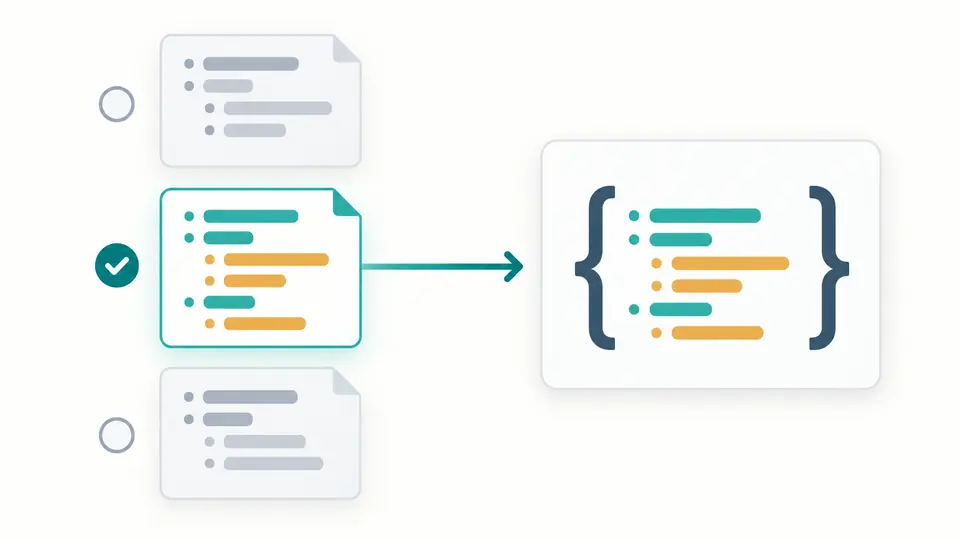
The selection starts at document 1. After parsing, the selector shows every document up to the 100-document limit, including empty documents. A selected empty document becomes null; a comment-only stream has no result.
JSON tools
Edit the sample, select a document and choose how anchors are handled. The result updates automatically.
Processed in this browser. Your input is not uploaded or stored.
Result is out of date; export is disabled.
Use YAML to JSON when a configuration must become an API payload. A file containing several resources is not the same thing as an array: select the intended document and keep its original root type.
This online converter makes type differences explicit. Quoted identifiers remain text, dates remain strings under YAML 1.2, and a long numeric identifier is emitted without first rounding it to a JavaScript number.
YAML to JSON shows the number of documents separated by document markers. Choose the relevant resource instead of silently taking the first or wrapping unrelated resources in a new array. Editing the source resets the selection to the first document.
An anchor defines a reusable value; an alias refers to it. Expand mode writes a separate copy of that value at every reference. Reject mode stops at an anchor or alias, making reference use an explicit choice before export.
The selection starts at document 1. After parsing, the selector shows every document up to the 100-document limit, including empty documents. A selected empty document becomes null; a comment-only stream has no result.
Auto-convert waits 350 milliseconds after an edit. Switch it off to reveal Convert, or use Ctrl/Cmd+Enter. Changing indentation, document or anchor policy immediately disables exporting the previous result.
The output preserves large integer and decimal values as JSON number text. A consuming program may still round them. If an identifier is meant to be text, quote it in the YAML source before converting.
Choose two spaces, four spaces or compact JSON. Compact mode removes indentation and layout line breaks, while line breaks inside strings remain escaped data. Object key order and array order follow the selected source.
Decimal fractions and scientific notation come from source tokens. Hexadecimal and octal integers become equivalent decimal integers. A value such as 900719925474099312345 is not truncated to the precision of a browser Number.
Syntax and duplicate-key errors identify a line and column in the full input. Errors in a separate document do not block a valid selected document. Cross-document aliases remain invalid because anchors belong to one document.
Copy and download become available after the current conversion succeeds. Editing the source keeps the previous result dimmed for comparison but disables export. Reverse conversion opens the dedicated JSON to YAML page without transferring data.
Comments are omitted because standard JSON has no comment syntax. Text containing a # inside a quoted string remains part of the value. Converting the result back cannot reconstruct the original comments.
Types follow YAML 1.2 Core. Quoted "true" is a string, true is a boolean, and 007 is a number unless quoted. This YAML to JSON converter keeps date-shaped plain values as strings and rejects explicit YAML 1.1 directives.
Choose a document in the selector below the editors. Only that document is exported, with its root type unchanged. Other documents are neither joined into an array nor included in the downloaded file.
Non-finite values, unsupported tags and non-string keys stop conversion. So do duplicate keys, unsupported merge syntax, unresolved aliases and cycles. The error points to the input location so you can decide how to represent the data.
Comments are omitted. In Expand mode, aliases become independent copies of anchored values; names and shared identity disappear. Reject mode stops at any anchor declaration or alias. Neither mode preserves references inside JSON.
Check the reported line and column for indentation, malformed collections or duplicate keys. Use spaces for YAML indentation. If the syntax is valid, inspect the type or limit named in the error; this tool does not automatically repair input.
Found an edge case this converter gets wrong?
Return to YAML to JSON, choose the intended document and inspect the current result before copying it into your API request.