
Localization tools

ICU MessageFormat testercheck the branch your users will see

Edit a traditional ICU message and its argument object, then compare the formatted output across numeric boundaries.

ICU MessageFormat tester

ICU message

Arguments JSON

Formatted result

Numeric boundary results

Add a plural or selectordinal argument to see boundary values.

Your message and arguments are processed in this browser tab; they are not uploaded.

Test options

Plural categories use this browser's Intl data. Its CLDR version varies by browser and may differ from your app runtime.

Result is out of date. Run the test before exporting.

A translation can parse successfully yet choose the wrong plural branch at 0, 11 or 21. This ICU MessageFormat tester runs the message with real argument values and shows those boundary cases beside the normal result.

Use the ICU MessageFormat tester while reviewing a single catalog entry, debugging a missing placeholder, or checking a nested select before release. The preview uses FormatJS and the current browser's Intl data, so compare against your production runtime when exact cross-platform output matters.

Why use an ICU MessageFormat tester?

Catch the branch that looks fine in one locale and fails in another.

One template, different plural categories

The ICU MessageFormat tester runs 0, 1, 2, 5, 11, 21 and 101 without changing your JSON. An exact =0 branch and a locale's one, few or many category can produce very different sentences; the table shows the actual output for each value.

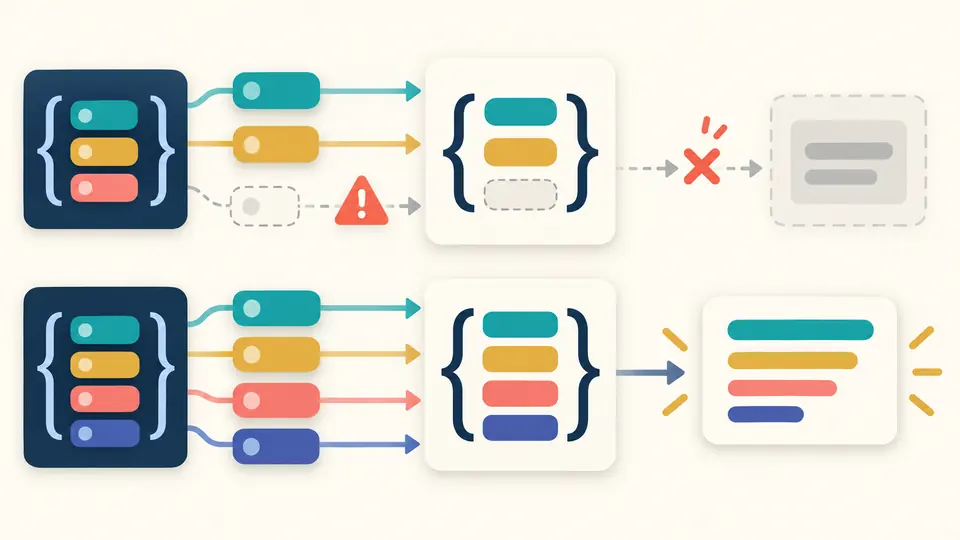
A single branching message becomes several output paths as number tokens flow through a locale rule

See a missing argument before release

A placeholder such as {name} must have a matching key in the arguments object. The ICU MessageFormat tester reports missing values and parser errors, while keeping the current message visible for correction. Nested select and plural branches run through the same FormatJS parser and formatter.

Argument tokens feed a message template while a missing token is highlighted before a formatted result

Check branches that a single preview misses

01

Start from a real template

Paste one traditional ICU MessageFormat 1 string, or load the plural, select or nested example. The invalid example shows how a missing other branch is reported. MF2 syntax such as {$name} belongs to a different format and is rejected here.

02

Match JSON keys and locale

Enter one JSON object with keys that exactly match placeholders, including letter case. Change the BCP 47 locale to see how the same number selects another CLDR plural category. The browser supplies those rules, so its data version can vary.

03

Inspect the boundary table

Choose a plural or ordinal variable and inspect 0, 1, 2, 5, 11, 21 and 101. The table temporarily overrides only that argument. Your original JSON stays intact; copy or download only a result that matches the current inputs.

Syntax, arguments and locale in one preview

Real FormatJS parser and renderer

This ICU MessageFormat tester uses one FormatJS runtime to parse and format the same MF1 message. It supports plural, select, selectordinal, offset, nested branches and basic number formatting instead of guessing with a loose tokenizer.

Boundary table for numeric variables

A plural rules tester is useful only if it shows rendered sentences. Select a numeric argument and inspect seven values, including 11 and 21, with the category and output side by side.

Errors stay attached to input

The ICU syntax checker reports parser line and column when available. Invalid JSON, missing variables and unsupported locales have separate messages; an old result cannot be copied after input changes.

Local, reversible workflow

The ICU message editor workflow waits for typing to stop. Examples and clear show a replacement preview before changing input, and one undo restores both the prior message and its result.

Which MessageFormat behavior is covered?

Traditional MF1 only
The ICU MessageFormat tester accepts the traditional brace syntax supported by FormatJS. MessageFormat 2 constructs such as {$name} and .match are not converted or mixed with MF1.
Browser CLDR rules, not a pinned data release
Plural category names come from this browser's Intl.PluralRules implementation. The page cannot report a precise CLDR version and does not promise byte-for-byte agreement with ICU4J, ICU4C or a differently configured production app.
One message and one JSON object
The ICU message validator checks a single template. It does not upload resource files, scan a catalog, compare source and target strings, or silently add a missing other branch. JSON arrays and scalar argument values are rejected.
Plain text output only
Rich text tags that need application callbacks are rejected. This preview never treats message output as HTML. Date, time and advanced currency skeletons should be checked again in the production runtime.

ICU MessageFormat tester FAQ

How do plural rules work across different locales?

The ICU MessageFormat tester uses Intl.PluralRules from your current browser. Switch the locale to compare categories and rendered text. A value of 21 can select a different branch from 11 in some languages; exact =n branches are checked before plural categories.

Can I test nested ICU messages?

Yes. Put a plural inside a select, or the other way around, and supply every argument needed by the selected path. The nested example demonstrates both. Boundary runs replace only one numeric value so the remaining JSON arguments stay the same.

Does this tool support the full ICU MessageFormat specification?

It tests traditional MF1 through FormatJS, including plural, select, selectordinal, offset and basic number formatting. It does not support MF2, host-rendered rich text, or every ICU4J or ICU4C style. Verify runtime-specific features in the library your app deploys.

What is the # symbol in plural messages?

Inside a plural option, # inserts the formatted numeric value after any offset. It is not a general placeholder outside plural syntax. Try changing count from 1 to 2 in the default example to see that value in the result.

How do I escape special characters in ICU messages?

ICU quoting uses apostrophes for syntax characters in specific contexts. If the parser flags a brace or apostrophe, inspect its line and column and check the FormatJS ICU syntax rules. Do not hide an invalid branch by adding arbitrary backslashes; they may appear literally in output.

Found a message this tester handles differently from your app?

Test with the ICU MessageFormat tester

Try the default count example, then change its locale and inspect 11 beside 21.

Keep this ICU MessageFormat tester handy when a translation looks correct for one value but fails on another.

Runs locally in your current browser.