Unicode and Internationalization

Unicode inspectorsee the values behind the glyphs

Inspect text, decode hexadecimal values and compare the units that make up a character.

Unicode inspector

Text or encoded input

Output preview

Preview shows at most 4,000 output characters; copying and downloading include the full output. Text preview uses escaped diagnostic markers.

Input stays in this browser and is not uploaded.

Text: up to 10,000 UTF-16 units. Encoded input: up to 200,000 characters, decoding to at most 10,000 units. Code points use U+HEX, 0xHEX or HEX; bytes use two HEX digits, optionally 0x. Separate tokens with whitespace or commas. No escapes or HTML entities.

Names: Unicode 17.0.0. Graphemes: browser Intl.Segmenter; its Unicode version is not exposed and may differ. Names and control aliases remain in official English.

Byte order is explicit. Initial U+FEFF is preserved; no BOM is detected, removed or added. Input is not normalized. Untouched CR/CRLF received from the browser are preserved; the textarea displays line endings as LF.

Detail offsets are zero-based UTF-16 units with exclusive ends. Error line/column and byte positions start at 1; missing bytes point just past the input. Scalar counts exclude isolated surrogate units.

Enter text or load an example.
A Unicode inspector helps when the length of a string disagrees with what you see. An accented letter can contain a base letter and a combining mark; a family emoji can contain several people and joiners. Counting the visible shape alone misses that structure.

This Unicode character inspector keeps the original sequence intact while showing names and encoding details. Use code point lookup for a pasted symbol, or start from hexadecimal bytes when checking a value copied from a log or protocol trace.

Why use this Unicode inspector?

Explain a surprising string length

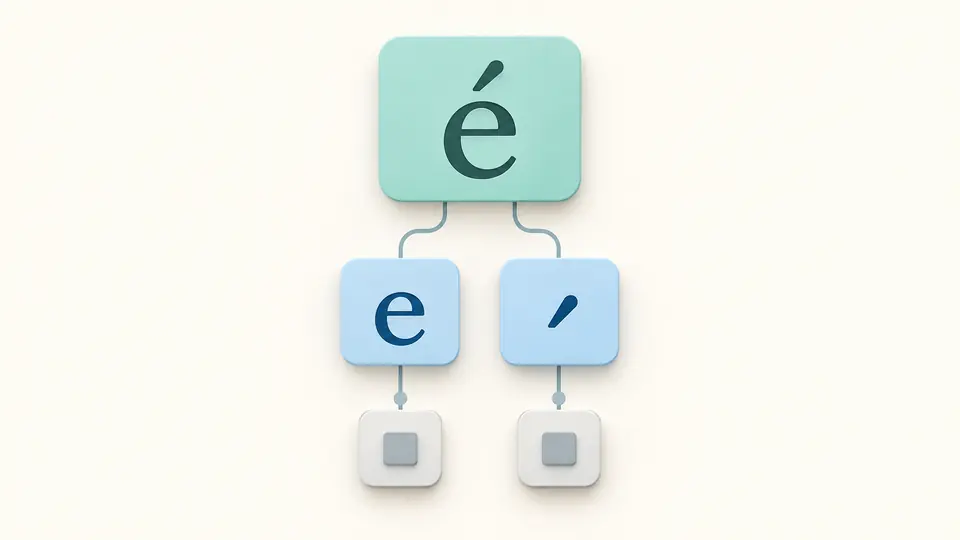
The Unicode inspector separates scalar code points, UTF-16 units and graphemes. Compare a precomposed accent with a letter followed by a combining mark: their appearance can match while their stored values and unit counts differ.

One accented character separated into a base letter and combining mark, with their underlying units.

Check the return journey from bytes

Select a byte input format and inspect the decoded character, then export it in another encoding. Explicit UTF-16 and UTF-32 byte order lets you compare the two orders without guessing from a file header. Invalid input stops at a reported position.

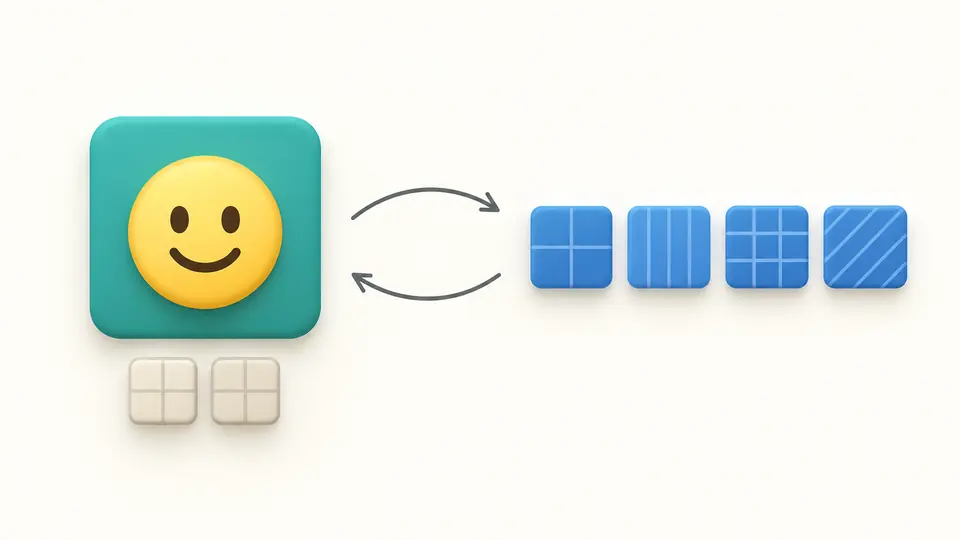
One symbol connected in both directions to grouped byte sequences.

Three details to check before exporting

01

Choose the input grammar

Text is the default. Code points accept U+0041, 0x41 or 41; a byte is exactly two hexadecimal digits, optionally prefixed by 0x. Separate tokens with whitespace or commas. A JavaScript escape is not a code-point token.

02

Control when inspection runs

Automatic inspection waits 250 ms after an edit. Turn it off to use Inspect or Ctrl/Cmd+Enter. A changed input makes the old report stale and disables export until inspection finishes. Example and Clear preview replacements when text already exists; Apply commits and Undo restores.

03

Compare details with the full output

Switch between code points and grapheme boundaries; reveal another 50 entries as needed. The output preview stops at 4,000 characters, but copying or downloading exports everything. Diagnostic markers in text preview are display aids; valid text export contains the actual characters.

What the report makes explicit

Names with a stated data version

Names come from Unicode 17.0.0 data, including algorithmic naming ranges. Official English names stay unchanged across languages. Control aliases have their own label; private-use, noncharacter and unassigned values are identified without inventing names.

Values in several encodings

Read UTF-8 bytes, UTF-16 code units and UTF-32 scalar values beside each entry. Output options include explicit little-endian and big-endian byte sequences. The JSON report preserves the inspection structure for a bug report or a follow-up script.

Boundaries and exact offsets

Detail ranges count UTF-16 units from zero and exclude the end offset. Error lines, columns and byte positions start at one. These are storage coordinates, so they need not match a cursor position measured in visible glyphs.

Scope, malformed input and preservation

Two version boundaries
The name database is fixed at Unicode 17.0.0. Grapheme grouping uses the browser’s Intl.Segmenter, whose Unicode version is not exposed. If the API is absent, grouping is unavailable; code-point counts are never presented as grapheme counts.
Strict decoding without repair
Malformed UTF-8, invalid scalar values and incomplete byte sequences are rejected. Byte order follows your chosen format. An initial U+FEFF is preserved as content; no BOM is detected, removed or added, and no normalization or invisible-character cleanup runs.
Isolated surrogates remain evidence
An isolated surrogate in text is reported separately and excluded from scalar counts. Grapheme grouping and text or byte exports are unavailable for that input. JSON, diagnostic U+ values and UTF-16 code units remain exportable; a surrogate diagnostic is not a reversible scalar token.
Bounded input, complete export
Text and decoded output are limited to 10,000 UTF-16 units; encoded input is limited to 200,000 characters. Larger input is rejected, not shortened. Untouched CR/CRLF received from the browser is retained, although the textarea displays line endings as LF. No files or remote URLs are read.

Unicode inspector questions

What are surrogates?

Surrogate code units occupy the D800–DFFF range. UTF-16 pairs a high unit with a low unit to represent a supplementary scalar value. A lone unit has no valid scalar interpretation; it is shown here for diagnosis and is never silently encoded as a replacement character.

What is UTF-16?

UTF-16 represents a scalar value using one or two 16-bit code units. A supplementary emoji uses a pair, so one code point can contribute two units and four bytes. The units view and the byte output are deliberately labeled differently.

Is Unicode a 16-bit encoding?

No. Unicode defines a code space through U+10FFFF. UTF-8, UTF-16 and UTF-32 are ways to represent scalar values from that space. The number in an encoding name describes its code-unit width, not a limit on the number of characters Unicode can represent.

Why do some characters show more than one code point?

One visible unit can combine several values: a letter and accent, an emoji and modifier, or a sequence joined by U+200D. The grapheme view groups these using the browser’s segmenter, while the code-point view keeps each constituent visible.

Can it analyze multiple characters at once?

Yes. Paste a string within the stated limit. Each code point appears in the detail list, and the report includes the complete result even when only the first page is visible. Start with a short fragment if you need to isolate one unexpected value.

Does a name or boundary look unexpected?

Inspect another fragment

Use the Unicode inspector to compare the smallest example that reproduces your encoding problem, then copy the representation your next step needs.