01
Choose the comparison scope
One-string mode checks script mixing and candidates. Switch to two strings only when you have a specific reference spelling; the second field is never fetched from a URL.
Unicode and Internationalization
Review script mixing, mapped characters, and an optional reference string.
Text stays in this browser and is not uploaded.
Unicode 18.0 confusables and script tables are bundled locally.
Skeleton comparison omits bidirectional reordering; normalization follows the browser runtime. A match is not a safety verdict.
Input changed. Wait for inspection or run it manually.
A Unicode confusable detector helps when a username, code identifier, or address looks familiar but fails an exact comparison. The visible letters may come from different scripts, such as a Cyrillic а inside a Latin word.
This homoglyph detector preserves the original text and explains the stored code points. Its mixed script detector is a review signal, while the internal skeleton supports comparison with a specific spelling rather than guessing intent.
The Unicode confusable detector identifies a Cyrillic letter inside an otherwise Latin name and lists its exact position. Mixed-script text is a prompt to inspect, not proof of deception.
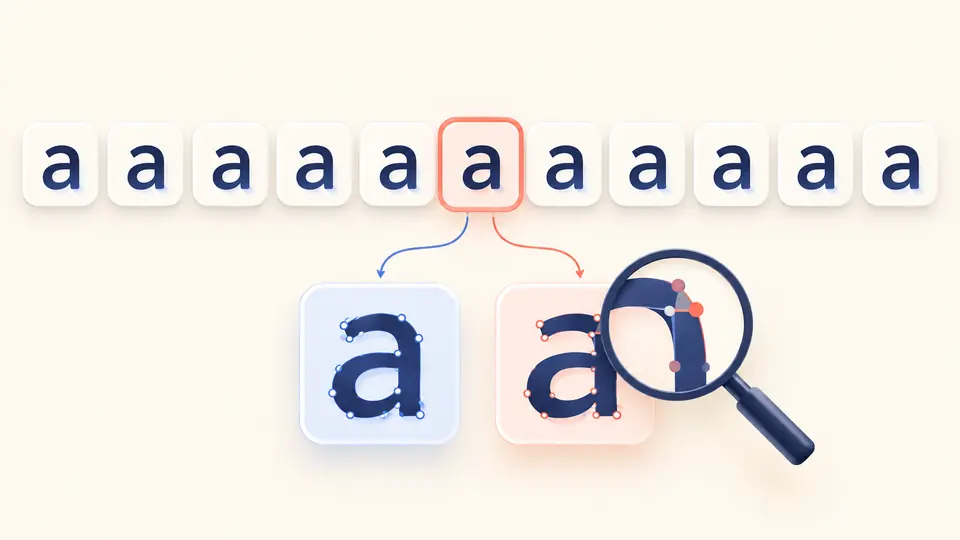
Two strings can differ byte for byte but share an internal confusable skeleton. Compare against a reference name to see that relationship, then inspect each mapped code point instead of treating the skeleton as replacement text.
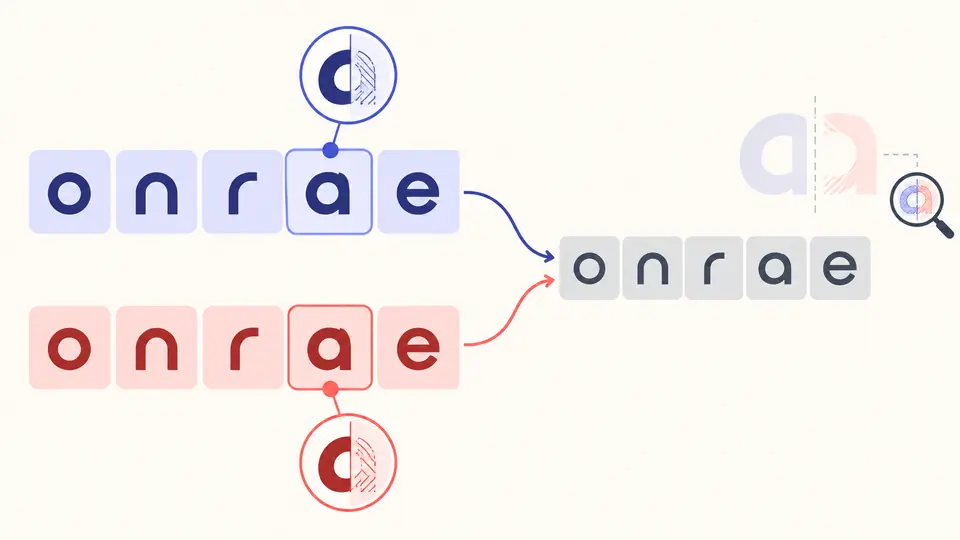
One-string mode checks script mixing and candidates. Switch to two strings only when you have a specific reference spelling; the second field is never fetched from a URL.
Automatic inspection waits about 350 ms after a change. Turn it off for manual checks with Ctrl/Cmd+Enter. Editing either string immediately disables report export until the next successful run.
A mapping can target several code points and may belong to a normal language. Inspect the original character and script first; the skeleton is a diagnostic sequence, not a safe rewritten name.
The lookalike character checker uses the complete versioned confusables mapping, including prototypes made of multiple code points, instead of a short handpicked Latin and Cyrillic list.
The report separates scripts present in the text from mapped candidates. A single-script Cyrillic word can have lookalikes without being mixed-script, and ordinary bilingual text may mix scripts harmlessly.
Character details appear in batches of 100 to keep the page responsive. Copy and JSON download still include every analyzed character, its offset, script, and mapped prototype.
It is a character with a mapping to a visually similar prototype in Unicode’s data. Similarity varies by font; the report names the code point and mapping without labeling it harmful.
Mixed-script means several writing systems occur together. A confusable candidate comes from a character mapping; either can appear without the other, so review both signals.
It is a comparison form built from normalization and confusable mappings. This page displays code points for diagnosis; the sequence is not corrected text to publish.
Yes. Latin a and Cyrillic а have different code points even where a font draws them similarly. The character list makes that difference visible.
No. A matching internal skeleton only identifies a possible lookalike relation under this data and algorithm. Domain ownership, registration, context, and intent are outside this tool.
Need another mapping explained?
Paste a short name or identifier into the Unicode confusable detector, compare it with a known spelling if useful, and review the code points before deciding what it means.