invisible character detectorreveal what the screen hides
Inspect positions and categories before deciding what to change.
invisible character detector
Input text
Detected positions
Text stays in this browser and is not uploaded.
Confirm each cleanup category
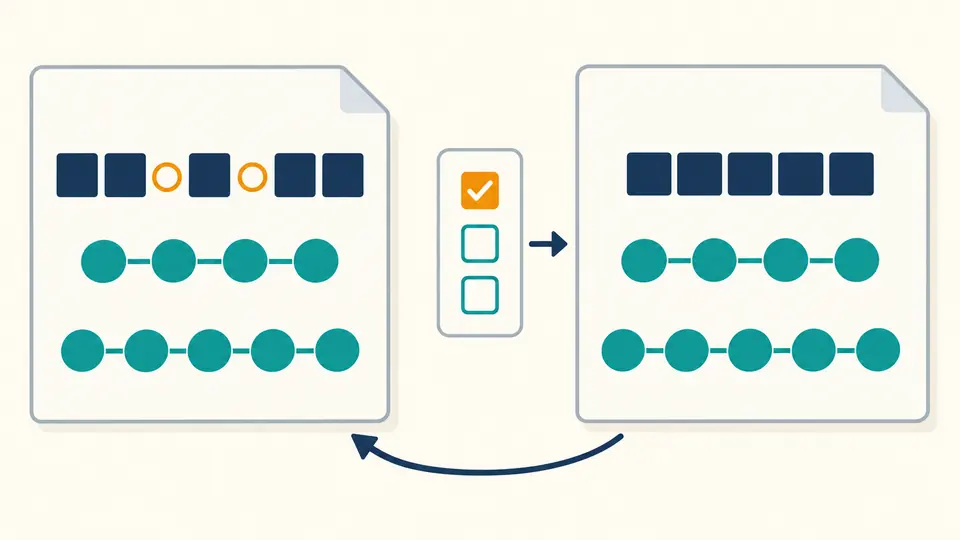
All categories start unselected. Selecting a category confirms its stated effect; detect again, then preview before applying.
Unicode 17.0.0 fixed subset, 521 code points plus isolated surrogates. This is not complete glyph visibility detection or a security verdict. Official character names remain in Unicode notation.
Offset and index start at 0; line and column start at 1. Columns count code points, not visual cells. CRLF is one break; CR, LF, NEL, LS and PS also break lines. Both CRLF characters belong to the preceding line.
Up to 100,000 UTF-16 units. Untouched CR/CRLF are preserved as received from the browser; newly typed line breaks use LF. The editor may display normalized line endings.
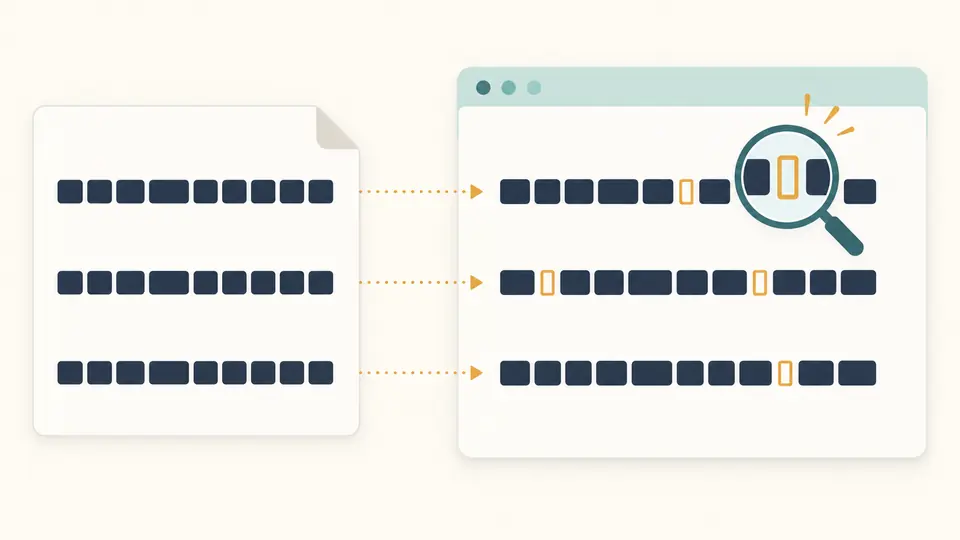
Highlighted markers are display aids, not inserted characters. Controls are shown in logical storage order rather than executed. Context is limited to 24 UTF-16 units per side.
Enter text or load the example, then detect characters.
An invisible character detector is useful when a pasted identifier looks right but an exact match fails. A zero-width character can split a word without leaving a visible gap; comparing the stored code points explains the difference.
Start with a small fragment that reproduces the problem. This zero-width character detector reports hidden Unicode characters alongside unusual spaces and controls, preserving the original input until you approve a change.
Why use this invisible character detector?
Find the cause of an almost identical string
The invisible character detector marks each finding in its surrounding text. A non-breaking space between a number and a unit can look ordinary while preventing wrapping or failing an exact comparison. The report makes that distinction explicit.
Keep useful joining behavior
A joiner can hold a family emoji together or shape letters in a word. Cleanup starts with no categories selected, so you can remove unwanted zero-width spaces while leaving joiners and variation selectors alone.
Inspect a snapshot, then approve changes
01
Refresh after changing the text or choices
Detection is manual: use Detect or Ctrl/Cmd+Enter. Editing input or changing cleanup categories makes the previous result stale and disables export. Run detection again before creating a cleanup preview.
02
Check the transformation, not only the count
Choose each unwanted category explicitly. Special spaces become ordinary spaces; other selected characters are deleted. Review the before-and-after preview and counts, especially when controls include tabs or line breaks.
03
Apply once and keep a way back
Apply writes the preview into the input and refreshes the findings. Undo restores the preceding input and result. Example and Clear also preview a replacement when existing text would be overwritten.
What the inspection records
Code point, category and practical impact
Each finding includes its U+ value, name and category. Context uses visible markers in logical storage order, so directional controls cannot rearrange the diagnostic fragment and obscure the location being reviewed.
Three coordinates for the same finding
Compare a zero-based UTF-16 offset, a zero-based code point index and one-based line and column values. Supplementary characters occupy two UTF-16 units, so these coordinates need not have equal numbers.
A complete report behind a short list
The list reveals findings in batches of 50. JSON export includes every finding and numerical position, without embedding the complete source. Text export contains the current scanned input; it becomes cleaned text only after Apply.
Exact scope and deliberate limits
A fixed Unicode 17 inspection table
Detection covers control and format characters, non-ASCII whitespace, variation selectors and specified fillers. Format characters are not necessarily invisible or harmful. Ordinary ASCII spaces, lookalike letters and general combining accents are outside this inspection. Listed fillers: U+034F / U+115F / U+1160 / U+17B4 / U+17B5 / U+2800 / U+3164 / U+FFA0.
Logical lines, not screen wrapping
CRLF forms one line break; CR, LF, NEL, LS and PS also break lines. Columns count code points, not glyphs or bytes. The tool inspects the clipboard text delivered by the browser, not original file bytes.
Selection is permission to change a category
No category is preselected. Replacing special spaces removes their original layout semantics. Removing controls can join lines or fields; removing joiners, variation selectors or bidi marks can change valid language and emoji rendering.
Input cap and malformed UTF-16
The limit is 100,000 UTF-16 units; larger text is rejected rather than truncated. Isolated surrogate units are reported but never cleaned. Text copy and download are disabled for those units to avoid a lossy replacement; JSON remains available.
Invisible character detector questions
Can removing invisible characters break emoji or languages?
Yes. ZWJ and ZWNJ affect joined writing, and variation selectors affect glyph or emoji presentation. Review the context and leave those categories unselected when their purpose is intentional. Detection alone does not change them.
How are character positions calculated?
UTF-16 offsets and code point indices start at zero. Lines and code point columns start at one. A supplementary emoji takes two UTF-16 units but advances the code point index once; CRLF advances the line once.
What is a non-breaking space?
U+00A0 prevents a line break between adjacent text. It is distinct from U+0020 even when both appear as a blank gap. Selecting the special-spaces category replaces it with an ordinary space rather than joining the surrounding words.
Why did my character count change after cleaning text elsewhere?
Deleted characters contributed to the original length even when they were not visible. A supplementary variation selector occupies two UTF-16 units. Space replacement may preserve length while changing behavior, so compare the transformation as well as the totals.
How do I see invisible characters in a code editor?
Code editors can highlight unusual Unicode through their settings. For a pasted fragment, inspect its U+ values here and use the explicit offset convention when locating the corresponding source. This page does not configure your editor.
Found a character or position that needs another look?
Use the invisible character detector on the smallest failing example, then confirm only the categories whose removal or replacement you actually intend.